VFD Calculators · Volume 6
Operating Them
VFD calculators span the whole change from the adding-machine habits of the 1960s to the algebraic keyboards of today, and the first thing to learn about any one of them is which kind of logic it uses. This volume works through four machines, each from its own owner’s manual, with the manual’s own examples: the Sharp QT-8D Micro Compet, whose logic the hand-held EL-8 shares; the Casio personal-mini; the Commodore Custom Green Line; and the Casio fx-101 scientific. Keys are shown in square brackets, and the displays are as the manuals print them. All four manuals are in the Library.
![Figure 1 — The keyboard of a Sharp QT-8D Micro Compet: ten figures, the decimal point, C, and only three function keys, [+=], [−=] and [×÷]. The EL-8 hand-held has the same arrangement.](/figs/calculators/vfd-calculators/v6_qt8d_keyboard.jpg)
6.1 Three kinds of logic
- Arithmetic, or adding-machine, logic. The function key also gives the answer. The Sharp QT-8D and EL-8 have [+=] and [−=] keys that add or subtract and show the total at once, and a [×÷] key that arms a multiplication or division to be completed by [+=] or [−=]. There is no separate equals key.
- Algebraic entry. Press the keys in the order the problem is written, then [=]. Most pocket machines from 1972 onward work this way, evaluating from left to right as they go, with no precedence of × over +.
- Algebraic with functions. Scientific machines such as the Casio fx-101 add a memory, scientific notation and function keys that act at once on the number shown.
The constant, the K of the desk machines, also differs. Some machines keep the second number of a calculation as the constant, some the first; the examples below show both.
6.2 The Sharp QT-8D Micro Compet (1969), and the EL-8
Sharp’s manual for the QT-8D is twenty pages; Wikipedia notes that the EL-8 “shares its logic circuits and operation” with it. The QT-8D runs from the mains only.
Keys. [0]–[9] and the decimal point enter numbers. [C] clears the machine and corrects a mistaken entry. [+=]: “When [×÷] key is set, multiplication is carried out. When [×÷] key is not set, addition is carried out.” [−=]: when [×÷] is set, division is carried out; when it is not, subtraction. [×÷] is “used when carrying out multiplication and division.”
Before starting. “When the power is turned on, press the [C] key twice to clear the machine.” At switch-on the display shows random figures, 7567.0987- in the manual’s example; the first [C] gives another random figure, .0225-, and the second clears to 00000000. There is no automatic reset at power-on.
Addition. 123.1 + 864.2:
Table 1 — Addition. 123.1 + 864.2
| Press | Display |
|---|---|
| 123.1 | 123.1 |
| [+=] | 123.1 |
| 864.2 | 864.2 |
| [+=] | 987.3 |
Each [+=] adds the number just entered to the total and shows the result, so a column of figures is entered with [+=] after each: 2.3 [+=] 2.45 [+=] gives 4.75, and 2.678 [+=] then gives 7.428.
Subtraction. 358.8 − 1241.6 − 27.5: 358.8 [+=] 1241.6 [−=] → 882.8−, then 27.5 [−=] → 910.3−. The minus sign is shown at the right-hand end of the display.
Negative numbers. Press [−=] first, which turns the minus indicator on, then the number. (−4) × 5: [−=] 4 [×÷] 5 [+=] → 20.−. (−4) × (−5): [−=] 4 [×÷] [−=] 5 [+=] → 20.; the second [−=] turns the minus sign off again.
Multiplication. 1.1 [×÷] 2.2 [+=] → 2.42. A chain is a run of [×÷] and [+=]: 2.2 [×÷] 3.3 [+=] 7.26, [×÷] 4.4 [+=] 31.944, [×÷] 5.5 [+=] 175.6920.
Division. The dividend, [×÷], the divisor, then [−=]: 264 [×÷] 12 [−=] → 22.000000. A chain: 256 [×÷] 12 [−=] 21.333333, [×÷] .56 [−=] 38.095237, [×÷] 2.3 [−=] 16.563146. The manual notes after each step that “the 7th decimal place is discarded”: the machine truncates and does not round. (−264) ÷ 12 gives 22.000000−.
Mixed calculation. ((5 + 12) × 0.2 + 48 − 16) ÷ 4:
Table 2 — Mixed calculation. ((5 + 12) × 0.2 + 48 − 16) ÷ 4
| Press | Display |
|---|---|
| 5 [+=] 12 [+=] | 17. |
| [×÷] .2 [+=] | 3.4 |
| 48 [+=] | 51.4 |
| 16 [−=] | 35.4 |
| [×÷] 4 [−=] | 8.8500000 |
Correcting a mistake. To correct 3 × 5 to 3 × 4: 3 [×÷] 5, then [C], which returns the display to 3.; press [×÷] again, then 4 [+=] → 12.
More than eight digits. The display has eight digits, but the machine works to sixteen. In addition, if the answer is longer than eight digits the lowest digits are discarded and the point is aligned with the addend: 12.345678 [+=] 1234.5678 [+=] → 1246.9134, the “78” of the full answer being an “invisible part”. In multiplication only the upper eight digits of a long product are shown, without a point, and the manual’s decimal point call-back recovers its size:
Table 3 — More than eight digits. The display has eight digits, but the machine works to sixteen. In addition, if the answer is longer than eight digits the lowest digits are discarded and the point is aligned with the addend: 12.345678 [+=] 1234.5678 [+=] → 1246.9134, the "78" of the full answer being an "invisible part". In multiplication only the upper eight digits of a long product are shown, without a point, and the manual's decimal point call-back recovers its size
| Press | Display | Note |
|---|---|---|
| 824005.1 [×÷] 930047.2 [+=] | 76636363 | upper 8 digits; the rest is invisible |
| [×÷] .0000001 [+=] | 76636.363 | the point is called back |
Multiplying by 0.0000001 shifts the point seven places; it lands after the fifth figure, which shows that the product has twelve figures before the point: it is 766,363,636,040.72.
Overflow. “If the result exceeds 16 digits, all the decimal points turn on and the calculation stops. More than 8 digits can not be entered.” In the manual’s example, 8246246 [+=] 3963966 [+=] gives 12210212.; 98457823 [+=] gives 11066803 with a “5.” invisible part; and 35 [+=] then gives 00000000 with every decimal point lit. Clear with [C].
Speed. The specifications give 20 ms for an addition or subtraction, 150 ms for a multiplication and 200 ms for a division, with a 78 kHz clock and four “ELSI” chips; the machine draws at most 7 W.
6.3 The Casio personal-mini (c. 1973–74)
A pocket machine of the Casio Mini family, with a “6-digit capacity Digitron tube panel”, two AA cells or an adapter, and algebraic logic: “press the keys in exactly the same sequence as they appear in the problems.” [C] clears an entry; [AC] clears everything “and releases the overflow check”. A new number entered after [=] starts a new calculation. If the wrong function key is pressed, pressing the right one replaces it.
Twelve digits on a six-digit display. A key marked [↔] shows the next six digits while it is held down. 741.258 [×] 32.1456 [=] → 23828.1; hold [↔] → 831648. The answer is 23828.1831648.
Chains. 456 [−] 789 [+] → −333., then 753 [=] → 420. 1.23 [×] 4.5 [×] → 5.535, then 8 [=] → 44.28. A negative answer longer than six digits shows its minus sign at the end of the first half: (2.3 + 4.56 − 8.9) × 59 ÷ 53 gives 2.27094, and [↔] shows the rest with the minus sign.
The constant. “The number entered immediately before the [=] key is automatically set as a constant in all four functions.” So the constant is the second number:
Table 4 — The constant. "The number entered immediately before the [=] key is automatically set as a constant in all four functions." So the constant is the second number
| Calculation | Press | Display |
|---|---|---|
| Constant addition, + 1.2 | 3 [+] 1.2 [=], then 6 [=], then 9 [=] | 4.2, 7.2, 10.2 |
| Constant subtraction, − 5.6 | 4 [−] 5.6 [=], then 12 [=], then 78.9 [=] | −1.6, 6.4, 73.3 |
| Constant multiplication, × 23 | 9 [×] 23 [=], then 4.56 [=], then 1.2 [=] | 207., 104.88, 27.6 |
| Constant division, ÷ 2.5 | 41 [÷] 2.5 [=], then 52 [=], then 63 [=] | 16.4, 20.8, 25.2 |
| Repeating | 7 [+] 8 [=] [=], then [−] 3 [=] [=] | 15., 23., 20., 17. |
Overflow. The machine works until the whole-number part of a result exceeds six digits; overflow “is signalled by the disappearance of the decimal point from the first display and stops further calculation”. [AC] releases it. In a long chain only the digits on the first display are carried forward, so “the final result is an approximate answer”.
Batteries. Two AA cells last about ten hours. “Even when battery power decreases, the display will merely darken but cause no miscalculation.” Use only the adapter for the local mains voltage; plugging it in disconnects the cells.
6.4 The Commodore Custom Green Line (mid-1970s)
Commodore’s Green Line was a family of pocket machines with green fluorescent displays: models 97D, 96D and 94D ran on two AA cells; 997R, 996R and 994R on rechargeable cells, “about 2 to 3 hours of working time” per charge. The manual covers them all.
Keys and indicators. [C] once erases the last entry; twice clears the calculator and display, “except those in Memory”. [=] gives the result and enables the automatic constant. [%] sets up percentages, mark-ups and discounts. [EX] reverses the role of the constant: after A [×] B, pressing [EX] makes the machine perform B × A. [MC] clears the memory, [MR] copies it to the display, [M+] and [M−] add or subtract the display, and [MT], memory total, copies the memory to the display and clears it. A minus sign appears at the left of a negative number, a point in the left-most digit means the memory is in use, and an overflow mark appears when a result exceeds ten digits. “The overflow is cleared by dividing by 10 enough times to bring the decimal point into the Display”; the maximum capacity is 10¹⁶.
Everyday arithmetic. Credit balance, −200 + 456 − 321: [C][C] [−] 200 [+] −200. 456 [−] 256. 321 [=] → −65. Mixed, 12 × 6 + 3 − 7 ÷ 4: [C][C] 12 [×] 6 [+] 3 [−] 7 [÷] 4 [=] → 17. (left to right: 72, 75, 68, then 17).
Powers and constants. Here the constant for multiplication is the first number, the opposite of the Casio:
Table 5 — Powers and constants. Here the constant for multiplication is the first number, the opposite of the Casio
| Calculation | Press | Display |
|---|---|---|
| 11³ | [C][C] 11 [×] [=] [=] | 121., 1331. |
| Constant addition, 4 + 7 + 7 − 8 − 8 | 4 [+] 7 [=] [=], then [−] 8 [=] [=] | 11., 18., 10., 2. |
| Constant multiplication, 22 × | 22 [×] [=], then 7 [=], then 34 [=] | 484., 154., 748. |
| Constant division, −8 ÷ 3 ÷ 3 | [−] 8 [÷] 3 [=] [=] | −2.666666, −0.888888 |
| Changing the constant | 24 [×] 4 [EX] [=], then 5 [=] | 96., 20. |
In the last example [EX] makes 4, not 24, the constant multiplier, so 5 [=] gives 20.
Percentages.
Table 6 — Percentages.
| Calculation | Press | Display |
|---|---|---|
| 5 % of 220 | 220 [×] 5 [%], then [=] | 0.05, 11. |
| (430 + 20) plus 5 % tax | 430 [+] 20 [+] 5 [%], then [=] | 450., 22.5, 472.5 |
| (600 + 50) less a 10 % discount | 600 [+] 50 [−] 10 [%], then [=] | 650., −65., 585. |
Memory.
- −8 + (15 × 3) − (20 ÷ 5) = 33: [MC][C][C] 8 [M−] 15 [×] 3 [=]
45.[M+] 20 [÷] 5 [=]4.[M−] [MT] →33. - 50 ÷ (40 − 4 × 8) = 6.25: [MC][C][C] 40 [M+] 4 [×] 8 [=]
32.[M−] 50 [÷] [MR]8.[=] →6.25
Interest. The manual’s last example finds the interest on a loan of $456 for 71 days at 8½ per cent, on a 360-day year: [MC][C][C] 456 [M+] [×] 71 [×] 8.5 [%] gives 0.085; [÷] completes the multiplication, 2751.96; 360 and [M+] give the interest, 7.6443333, and add it to the memory; [MR] shows the total to repay, 463.64433; [EX] brings back the interest, 7.6443333.
6.5 The Casio fx-101 scientific (c. 1975–76)
A pocket scientific with a “green Digitron tube”: ten digits, or an eight-digit mantissa with a two-digit exponent. It has an independent memory and eighteen functions, and works internally to ten significant figures. Four AA cells last about eleven hours.
Basic arithmetic is algebraic but evaluated from left to right: 741 [−] 258 [+] 963 [=] → 1446., and 123 [+] 65.4 [−] 789 [×] 2.5 [=] → −1501.5, which is (123 + 65.4 − 789) × 2.5, not 123 + 65.4 − 789 × 2.5. A sign change is [+/−] after the number: 25 [+/−] [×] 3 [÷] 1.2 [+/−] [=] → 62.5.
Scientific notation. [EXP] enters an exponent: 5.6088 [EXP] 12 [÷] 45.6 [=] → 1.23 11, that is 1.23 × 10¹¹. Very small results switch to scientific form on their own: .0003333 [÷] 100 [=] → 3.333−06.
Functions. Each acts at once on the number shown:
Table 7 — Functions. Each acts at once on the number shown
| Problem | Display |
|---|---|
| log 41 | 1.6127839 |
| log 2.3 | 0.36172784 |
| ln 215 | 5.370638 |
| e^5.2 | 181.2723 |
| √(357 × 10⁶) | 18894.44362 |
| 1/0.789 | 1.267427122 |
| 2.8²⁰ | 8.773253 08 |
| (1.2 × 3.6)⁻³ | 0.0124036 |
Memory. [M+] and [M−] add or subtract the display; [=M+] and [=M−] finish a calculation and add or subtract the result; [MR] recalls; [MC] clears. “Be sure to depress the [MC] key prior to starting a memory calculation.” The memory survives an overflow: “the total accumulated so far is recalled by the [MR] key after the overflow check is released by the [AC] key.”
Overflow. An “E” appears in the first column when a result or the memory exceeds 10¹⁰⁰, or a function is given an argument outside its range. [AC] releases it.
6.6 A test routine for any VFD machine
The examples above make a good test of a newly acquired machine, because between them they exercise every digit, every segment and every function. A short routine:
- Clear, enter 88888888 (or as many 8s as the display holds) and check that every segment of every digit lights, with even brightness from one end of the tube to the other.
- Enter 1234567890 or as much of it as fits, to see each figure in each position.
- Run the manual’s addition, subtraction, multiplication and division examples and compare the displays.
- Force an overflow, and check that the machine shows it and locks up as its manual says.
- On a machine with a memory, run the memory examples; on a scientific, check a few of the functions above.
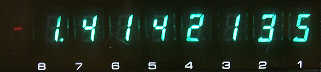
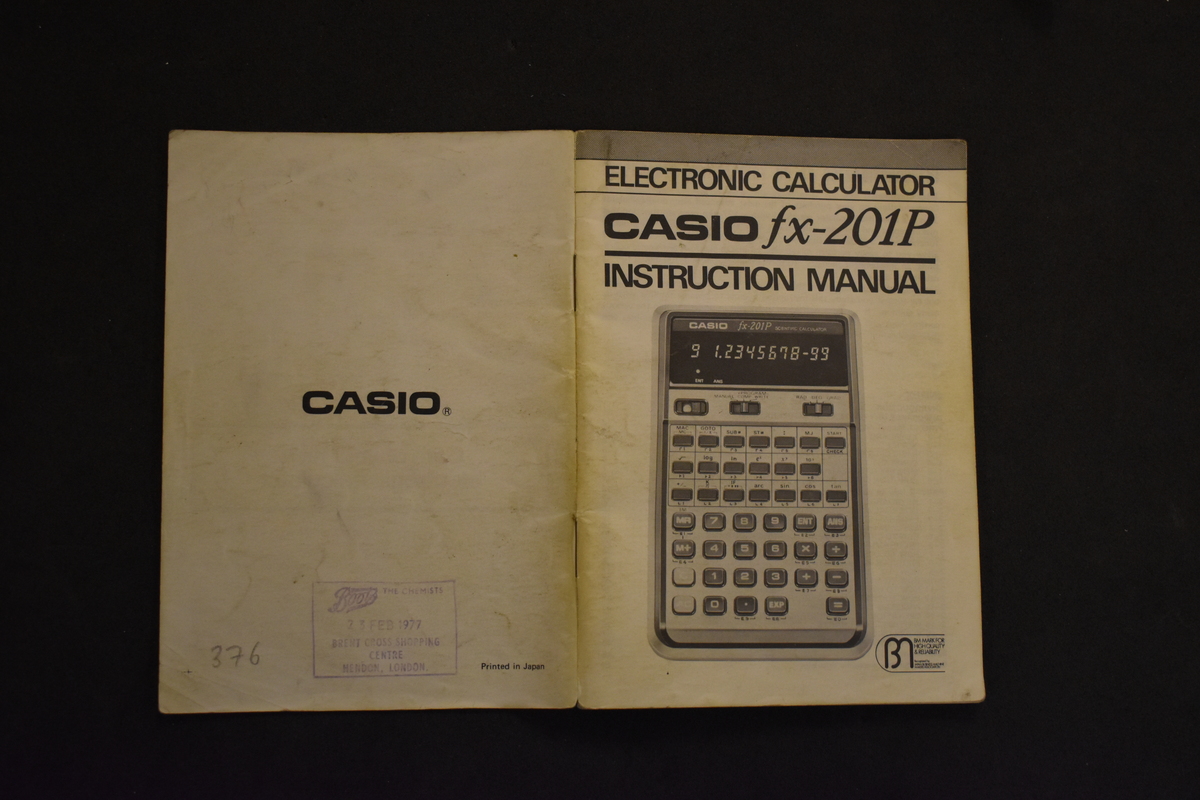
The manuals: Sharp QT-8D, Casio personal-mini, Commodore Custom Green Line and Casio fx-101. The Library also has the manuals for the Casio pocket-mini, fx-21, fx-102, fx-110, fx-120 and CQ-1, the Sharp EL-5001, EL-8131 and ELSI-814, the Unisonic 790R, the Toshiba BC-0801B and the Panasonic JE-850. Not every one of these machines has been confirmed as a fluorescent-display model.
Comments (0)