VFD Calculators · Volume 7
Repair and Restoration
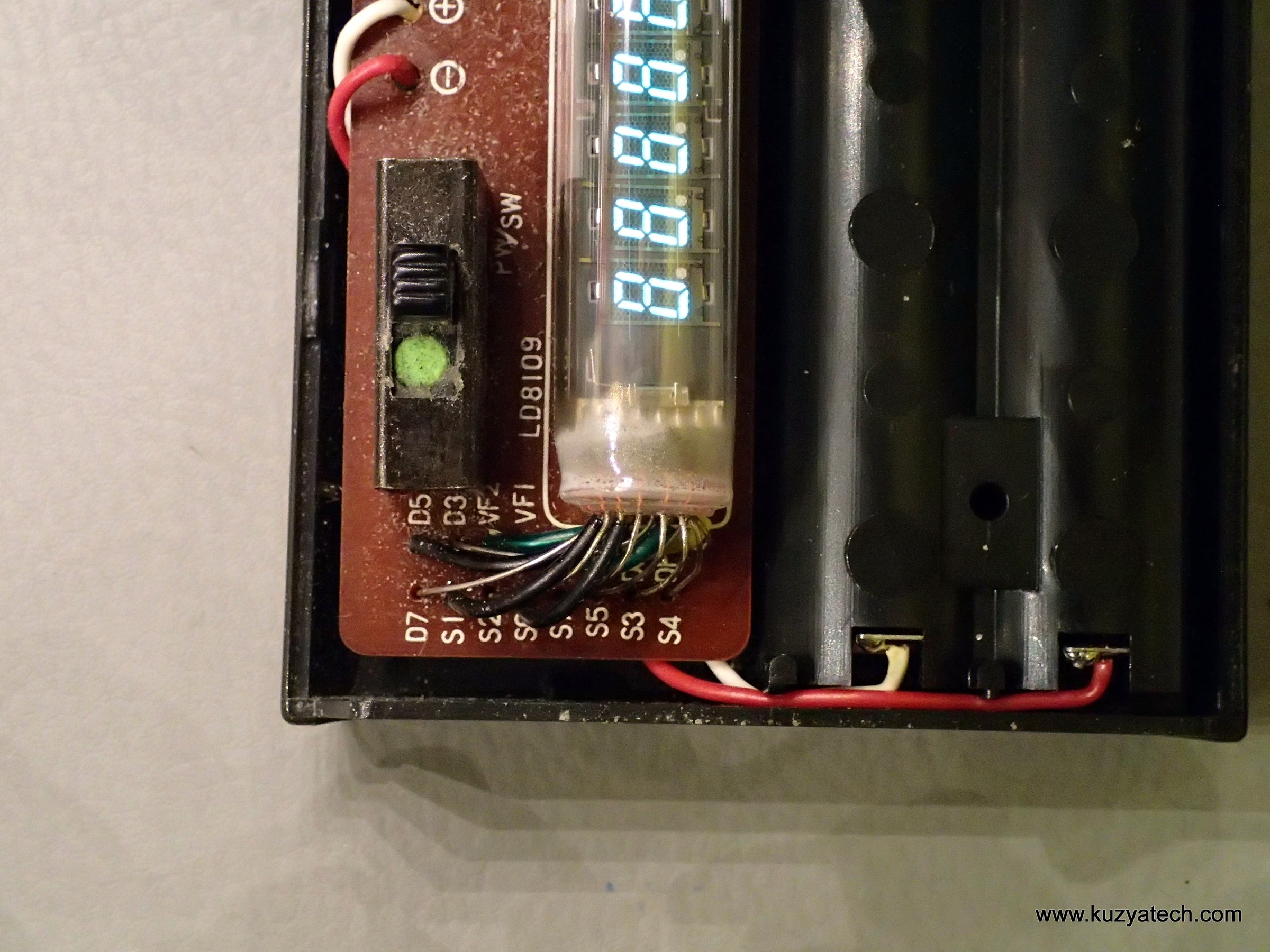
VFD calculators are usually easier to bring back than the Nixie and CRT machines before them. The voltages are low, the parts are few, and in a pocket machine the whole calculator may be one chip that rarely fails. What fails is everything around it: batteries, which leak; rechargeable packs, which die; keyboards, which wear; small electrolytic capacitors in the converter, which dry out; and, last and least often, the tube itself. This volume collects what the documented repairs show, then gives procedures for testing a tube and for a safe first power-up.
7.1 Safety first
The voltages in a VFD calculator are low compared with a Nixie or CRT machine: 25 to 60 volts DC for the display, from a small converter or transformer winding. They are not dangerous to touch in the way 170 volts or 2,400 volts are, but they can still give a tingle across wet skin, and a desk machine has mains voltage on its transformer, switch and fuse. Unplug a desk machine before opening it, and treat its mains wiring as you would in any old appliance: check the cord, the plug and the fuse, and look for cracked insulation, which on fifty-year-old machines is common. Take the cells out of a pocket machine before working on it.
7.2 What actually fails
Two collectors have published logs of the state of the VFD machines in their collections, and between them they show the pattern clearly.
Brent Hilpert’s desk machines. Keyboards dominate. In the Miida MC800, “most keys stick down”, because the plastic plungers had cracked and swelled. The MC840’s keys stick; the Ricomac 1216’s are bouncy; the Royal Digital I’s 6 key bounced because a guide piece and two rubber bumpers had fallen out of its switch. The Miida MC1214’s accumulator and constant keys no longer latch, and its “display is not very bright”. The Toshiba BC-0802 had a blown fuse inside, and the Victor 204’s bouncy keys were cured by taking them apart and reassembling them.
Brent Hilpert’s pocket machines. Batteries dominate. Corroded battery connectors in a Lloyd’s 55 and a Lloyd’s 310, the 55 with corrosion on the power jack as well; a “failed switching transformer” in the 310; rust on the battery clip of an apf Mark 51; on a LogicData TA-9, corrosion on the board, chip markings “disappearing, appears to be from battery off-gassing”, and one apparently failed chip. A Royal Digital V had lost its rechargeable pack and the special adapter it needed.
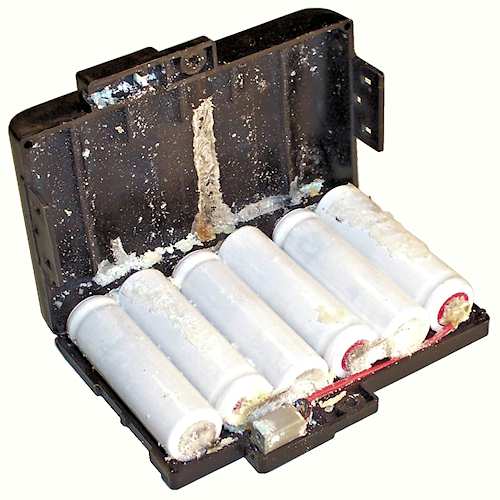
John Wolff’s Sharp EL-8 and EL-8M. The sealed six-cell NiCd packs have “usually failed after about 40 years”. The EL-81 charger has a trap: its regulator “will not work without a battery or a load of about 20 Ω”, so a good charger can look dead on the bench. To run an EL-8 without its pack, Wolff drills out the rivet that holds the case, removes the old cells and connector, cleans the case and the inverter board, and fits an electrolytic capacitor of about 500 µF, 12 V, the size of an AA cell, across the battery connections on the inverter board, observing the polarity. The machine then runs from the charger on the AC setting. The EL-8 keeps working down to about 5 V, with a dimmer display, and draws about 60 mA at 5 V and 120 mA at 7.5 V.
7.3 Faults, roughly in order
- Leaked cells and corroded contacts. The commonest fault by far. Take the cells out, scrape the green or white deposit from the springs and contacts, clean with a little vinegar or citric acid and then water, dry thoroughly, and look along the copper traces near the battery box for corrosion that has crept under the solder mask or thinned a track to a hairline crack. Rusted springs can be cleaned or replaced. A machine whose battery holder is beyond repair can be wired to an external holder: one owner of a leaking Busicom pocket machine bypassed the corroded holder with an outside four-AA box, and it worked first time.
- Dead rechargeable packs. EL-8, Commodore R models, Unisonic, Royal Digital V and many more. Rebuild the pack with NiMH AA cells of the same number, or bypass it as Wolff did. The original chargers were made for NiCd; they will charge NiMH slowly but are best not trusted to stop.
- Keyboards. Cracked plungers, lost bumpers, bouncy reed or leaf contacts, and on later machines worn conductive rubber. Clean contacts with isopropyl alcohol; keep contact cleaners with oils or solvents away from rubber parts.
- A weak or dead converter. In a pocket machine everything comes from the DC-DC converter, so if it fails, nothing lights. The usual failures are the switching transistor and the small electrolytic capacitors on the output rails; a “failed switching transformer” is rarer, but Hilpert’s Lloyd’s 310 had one. In Hewlett-Packard calculators of the same era a broken fine winding in the converter transformer has been bridged, and cracked glass diodes and switching transistors replaced with modern equivalents; the same thinking applies. A converter that is running but weak shows itself as a dim display before the logic fails.
- A dim display. Before blaming the tube, check the supplies. A repairer’s reply on the EEVblog forum puts it plainly: a display that is dim at switch-on can be tired cathode emission, but “most of the time” it is failing small electrolytics, 22 to 100 µF at 50 to 100 V, on the drive rail. The Casio manuals add that a dimming display on battery means weak cells, not bad arithmetic.
- One digit or one segment missing. In a multiplexed display the fault tells you where to look. The same segment missing on every digit is a segment line: its driver, its pull-down resistor, or its connection to the tube. One whole digit dark, or always lit and showing ghosts, is a grid line. Faint “ghost 8s” on every digit mean that unselected grids are no longer being held below the filament: look at the bias Zener or resistor. A dead driver channel can be bypassed with a single transistor; one repairer of a Novus 6025 used a 2N2222A with a 10 Ω series resistor. In desk machines with Toshiba transistor arrays, replace a TM4352 only with a TM4352: Hilpert warns that the look-alike HD3233 and TM4312 are lower-voltage logic inverters.
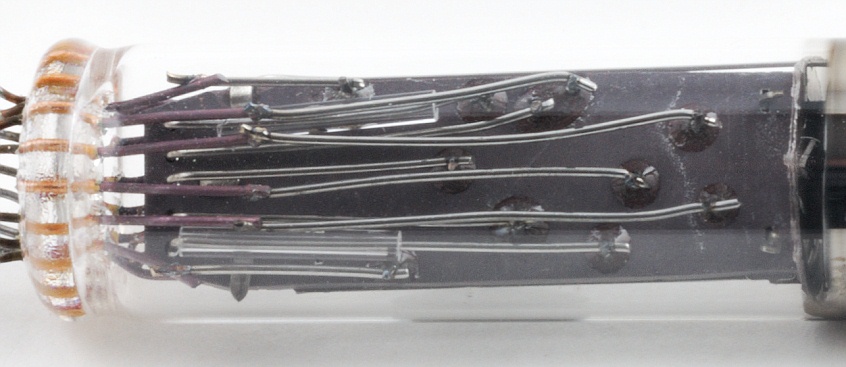
- An open filament or lost vacuum. If the getter mirror inside the glass has turned white or flaky, air has got in and the tube is dead. An open filament shows as no glow at all with the supplies present. In both cases the only cure is another tube.
7.4 Testing a tube
Out of circuit, a tube needs only a low-voltage supply for its filament and a battery for its grids and anodes.
- Find the filament. It is the pair of pins with the lowest resistance, a few ohms: typically 5 to 20 Ω on a multi-digit tube. On multi-digit calculator tubes the filament pins are usually the outermost pins at each end. A single-digit tube’s datasheet, where one exists, gives the pinout.
- Warm it gently. From a current-limited supply, bring the filament up slowly: 0.85 V for an Ise DG-12C, 1.6 V for a DG-19, about 1.4 V AC in a Casio Personal-8, around 3 V for a Futaba 9-ST-08A. In the dark the filament should be just visible as a faint red line, or not visible at all. Orange or pink is too much.
- Light the segments. With the filament warm, connect the supply’s negative to one filament pin and put +12 to +25 V on a grid and on a segment, through a resistor of a few kilohms. A 9 V battery is often enough to see a glow. The DG-12C datasheet’s 20 V on the grid and 25 V on the segments gives full brightness. To map an unknown tube, connect every non-filament pin to the positive supply and then remove them one at a time.
- Judge it. A tube that glows evenly but dimly, with a good filament, has worn cathode oxide; Noritake says a VFD’s life is set by evaporation of the oxide. Uneven dimming, with the most-used segments darker than the rest, is worn phosphor and cannot be put right.
7.5 Rejuvenation, and why to be careful
Because a tired cathode is one that has fallen out of saturation, raising the filament voltage can push it back in and brighten the display. Hobbyists report that it works, sometimes for years: one owner of a test instrument drove its filaments from DC “till they started to slightly glow” in three short ramps of a few seconds each and found the display “100% better”, and still good two years later. Others suggest 150 per cent of the rated filament voltage for about a minute.
Ise’s engineers explain the cost: excess filament voltage “deteriorates the filament life by unnecessarily raising the temperature”. Forum reports call rejuvenation a losing battle that works once or twice, and warn that it can melt the filament. One instrument’s display got dimmer, then went dark. It does nothing for worn phosphor. For a fifty-year-old calculator tube on fine flying leads, try it last, only on a tube that is otherwise useless, and gently.
7.6 A safe first power-up
For a pocket machine that has not been switched on for decades:
- Take the cells out and deal with any corrosion first. If there is a rechargeable pack, look for bulging or leakage and set it aside.
- Power it from a bench supply connected to the battery terminals, not through the adapter jack, at the nominal battery voltage: 3 V for two AA cells, 6 V for four, 7.2 V for an EL-8, 9 V for a PP3 machine. Check the polarity on the battery-box markings.
- Set a current limit of about one and a half times the expected draw: about 90 to 180 mA for an EL-8, less for a small two-cell machine. If the supply goes straight into current limit, something is shorted, usually the converter transistor or a capacitor; switch off and find it.
- Listen for the converter. Many sing faintly; the EL-8’s runs at about 12.5 kHz. The TI-1025’s 61.4 kHz charge pump is silent.
- Measure the rails against the schematic, if Hilpert has drawn the machine (see the inside volume). A faint filament glow with no digits means the converter is running and the fault is in the logic or the drive.
- Clear it properly. On a QT-8D or EL-8, press [C] twice after switching on; random figures at switch-on are normal.
- Run the manual’s own examples from the operating volume as a test.
For a desk machine, the same order applies with a variac or a series lamp in place of the bench supply: bring the mains up slowly, or limit the current with a 40 to 60 W incandescent lamp in series, and watch the fuse, the transformer temperature and the display.
7.7 Adapters and connectors
Original adapters are often missing, and polarity is not consistent even within one brand: in Hilpert’s table Casio’s pocket machines take negative-tip 3 V adapters, Commodore’s Green Line a positive-tip 3 V one. Measure before substituting.
Table 1 — Adapters and connectors
| Machine | Adapter | Tip | Connector | Cells |
|---|---|---|---|---|
| AGS 14 | 6 V DC | negative | sub-miniature jack | 4 AA |
| Casio CM-607 | 3 V DC | negative | DC | — |
| Casio Personal-8, Pocket-8 | 3 V DC | negative | DC | 2 AA |
| Commodore GL-997R | 3 V DC | positive | sub-miniature jack | 2 AA NiCd |
| Lloyd’s Accumatic 55, 310, 333 | 6 V DC | positive | miniature jack, does not disconnect the cells | 4 AA |
| Microlith Memory 4, 113G | 9 V DC | positive | sub-miniature jack | 9 V |
| Sharp EL-8131 | 3 V DC | negative | miniature jack | 2 AA |
| TI-1025 | 9 V DC | positive | sub-miniature jack, does not disconnect the cell | 9 V |
| XONEX ELSI III | 7.5 V DC | positive | DC | 5 AA |
| apf Mark 51 | 9 V DC | positive | sub-miniature jack | 9 V |
| Sharp EL-8 | EL-81 charger, 8.7–9.6 V | — | custom three-pin plug | 6-cell NiCd |
| Royal Digital V | AC | — | special three-pin | NiCd |
From Brent Hilpert’s pocket-calculator power table, with the EL-8 from John Wolff.
7.8 Replacement tubes
There is no new supply of 1970s calculator tubes. Spares come from dead machines of the same model, from new old stock sold by valve dealers, and occasionally from television and audio equipment of the same period. Soviet tubes, IV-6 single digits and IV-18 eight-digit tubes, are plentiful and cheap, but they are not drop-in replacements: their filament voltages, pinouts and sizes differ from the Japanese tubes, and in a multi-digit machine only the same type will do. A single dead digit in a machine with individual tubes is the easiest case; a dead multi-digit tube means finding another of the same type.
7.9 Documents and help
The schematics in the inside volume are the best guide to any machine they cover; they are in the Library, with the Ise tube datasheets and the application notes. John Wolff’s pages and Brent Hilpert’s state logs are worth reading before opening any machine of the same family. The EEVblog repair forum and the Hewlett-Packard Museum forum have experienced members who answer calculator questions.
Comments (0)