CRT Calculators · Volume 7
Care, Repair and Restoration
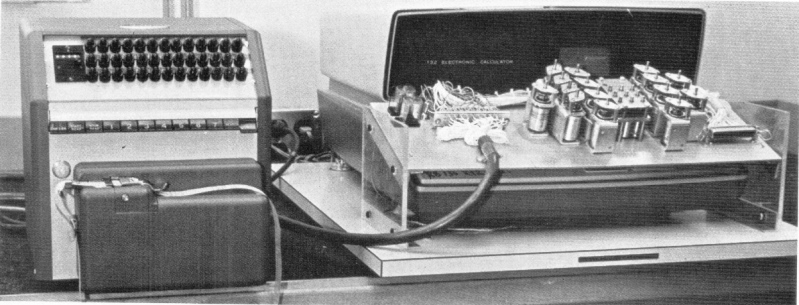
A CRT calculator that has sat in a cupboard for fifty years can often be brought back. Their makers documented them thoroughly, and restorers have published what they found. But they are not like a mechanical calculator: they contain a supply of several thousand volts, capacitors that can hold a dangerous charge, germanium transistors that fail in ways a quick test misses, and parts, the tube and the delay line above all, that cannot be replaced. This volume sets out how to approach one safely, the faults that are known, and where to find the documents.
7.1 Safety first
The high voltage can kill. The Friden 130 and 132 run their tubes at about 2,400–3,000 V (the label on the shield says 3,000 V), the 116x at 3 kV, and the HP 9100 at a voltage high enough to need its own fused supply. The mains wiring and the 80 V and 250–300 V supplies in these machines are dangerous too.
- Unplug the machine and wait before opening it. Then discharge the high-voltage and supply capacitors through a resistor to the chassis, not with a screwdriver. Sam Goldwasser’s repair FAQs suggest tens to a hundred ohms per volt, so a few hundred kilohms for a 3 kV supply; use a resistor rated for the voltage, on an insulated lead. Repeat later: capacitors and the tube itself can recover some charge after discharge.
- Work with one hand near anything live, and never with the cabinet in contact with your body.
- Protect your eyes. A CRT is a vacuum vessel. Dropped, struck or cracked, it can implode and throw glass. Handle the tube by its body, never by the neck.
- If you are not trained to work on live high-voltage equipment, have someone who is check the supply.
7.2 Before switching on
The worst thing to do with a machine of unknown history is to plug it in and press a key. Faults that would be easy to fix when cold, a dried-out capacitor or a shorted transistor, can destroy other parts once power is applied, and on an HP 9100 a cracked tube can short its deflection plates to the high voltage and blow the deflection transistors and diodes. Restorers’ advice comes down to a sequence:

- Look. Rust, insect or mouse damage, liquid stains, cracked boards, missing screws or covers. On an HP 9100, look at the getter, the silvery patch inside the neck of the tube: if it has turned white, air has got into the tube through a crack, and it must not be powered.
- Make it safe, as above.
- Clean the connections. Pull each board, noting its slot, clean the edge fingers with contact cleaner or a soft eraser, and reseat it firmly. On a Friden, check that the lock nut on the delay-line adjustment is tight.
- Prove the power supply first, with the logic boards and CRT drive unplugged where practical. Bring the mains up slowly on a variable transformer with a current meter in circuit; this also re-forms electrolytic capacitors that have sat unused, by letting their oxide layer rebuild gently.
- Measure every supply. On a Friden: +6 V, −12 V, −80 V and the 6.3 V heater; the high voltage only with a suitable probe. On an HP 9100: −15 V for the logic. Fix wrong or rippling supplies before anything else goes back in.
- Refit the boards and power up, watching for smoke, smell or a hot part.
- Prove the logic. On an HP 9100, divide by zero: if the ERROR lamp lights, the logic is alive and any fault is in the display. On a Friden, 13 nines divided by 1 should take about two seconds. Then work through the examples in the operating volume.
7.3 Faults known on the Fridens
The restorers’ reports, mostly from the Old Calculator Web Museum, the Vintage Computer Federation forum and the classiccmp mailing list:
- Wrong answers or lock-ups from oxidised edge connectors. The museum’s EC-132 gave wrong results in subtraction, division and square root, and sometimes locked up. Cleaning the board fingers cured it.
- A display that blanks when a number is keyed. The same machine’s delay-line adjustment had drifted when its lock nut worked loose in shipping. Re-setting and tightening it cured that.
- A faded, dim display. A Friden 132’s display was restored by replacing diodes (with UF4007s) and 680 Ω and 820 kΩ resistors on the −12 V line, diagnosed by a restorer from experience with the 130.
- Leakage to the chassis and mains-supply faults on an EC-132, found by careful insulation testing; re-form or replace the electrolytics after long storage.
- Digits on the screen but unreadable, with the logic apparently alive: an EC-130 owner could not fix it by reseating boards and turning potentiometers without the schematics, which are now all in the Library.
- Germanium transistors fail by developing a short between collector and emitter, or leakage, which a meter’s diode test can miss. Test them properly, out of circuit if necessary.
- Plated-through holes were a production fault from the start. Friden reinforced them by hand-soldering in the field; check any board with intermittent faults for cracked or unsoldered through-holes.
- Static. Discharge from the high-voltage section caused random errors even when the machines were new.
7.3.1 The read amplifier adjustment
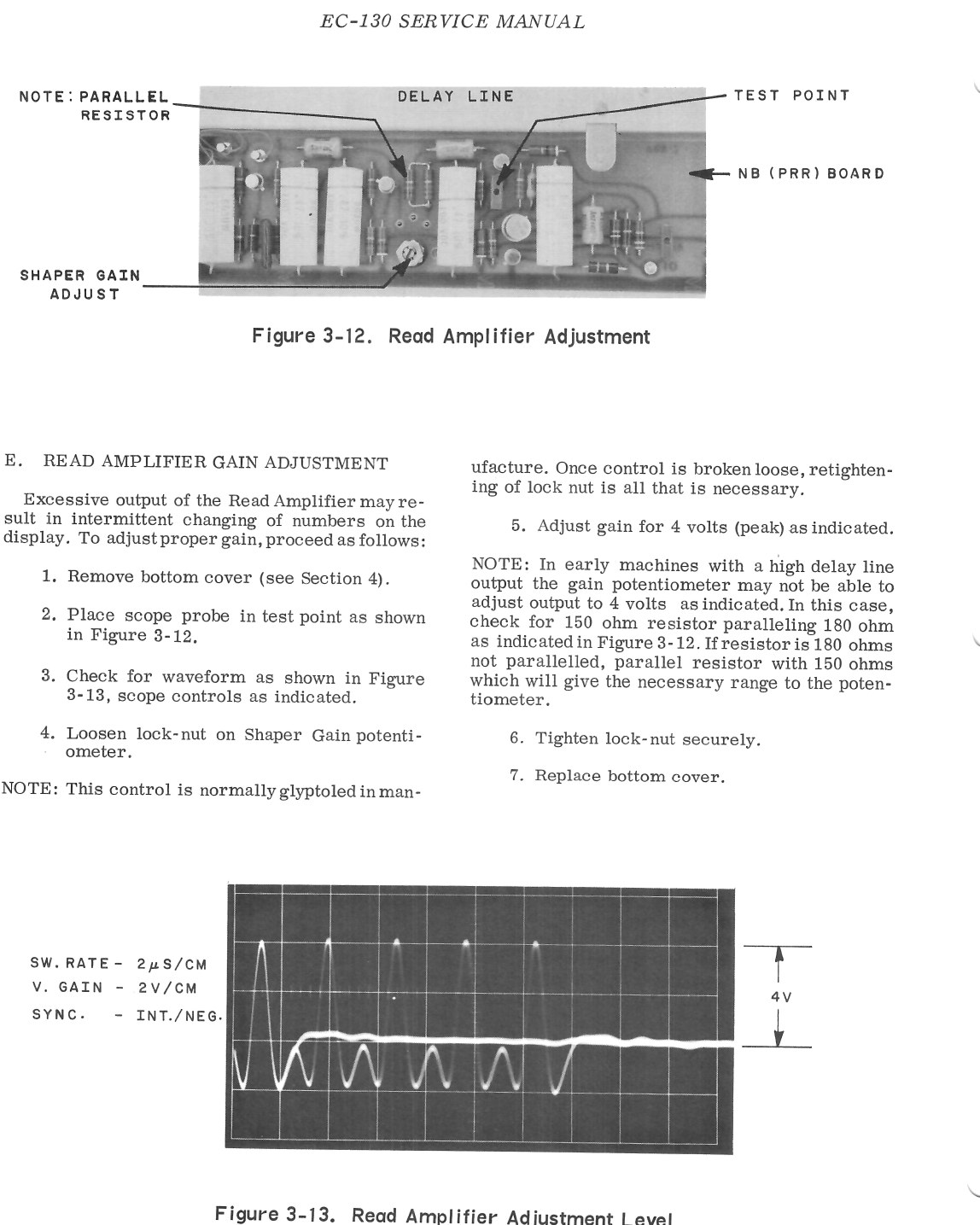
If a Friden changes numbers on its own, intermittently, the service manual’s first suspect is too much gain in the read amplifier. The adjustment (service manual, figures 3-12 and 3-13): remove the bottom cover, put a scope probe on the test point on the read-amplifier board, loosen the lock nut on the shaper gain potentiometer, and set it for a waveform of 4 V peak, then tighten the lock nut and refit the cover. On some early machines with a strong delay-line output the potentiometer cannot reach 4 V; the manual explains how a resistor in parallel with it is changed to give the range.
7.3.2 The display adjustments
The service manual’s display adjustments set the character height and width, the horizontal and vertical centring, and the spacing of the characters and registers, against the dimensions in its figure 3-10 (shown in the CRT volume). Focus, astigmatism and intensity are set on the high-voltage supply board. The CHAR H and CHAR W controls set the size of the digits through the dot generators, and the segment generator’s 50 kΩ control sets the length of the strokes.
7.4 Faults known on the HP 9100
- One bad transistor among about 160. A German owner’s 9100A had a flip-flop transistor with a collector-emitter short that a diode test missed, and others with broken base connections; it was finally revived by swapping boards with another owner’s machine, and worked at the fifth swap.
- A dim display. First try the intensity control at the top right; then check the voltages and capacitors in the high-voltage section. The high-voltage transistor Q1 and diode CR1, and the output transistors of the horizontal and vertical deflection boards, are reported as common failures.
- Do not swap the deflection boards. The horizontal and vertical boards fit either socket, and putting them in the wrong ones destroys transistors. Disconnect the four leads at the neck of the tube before pulling the boards.
- To test the processor alone, the forum advice is to remove the CRT and the high-voltage fuse and watch the ERROR lamp.
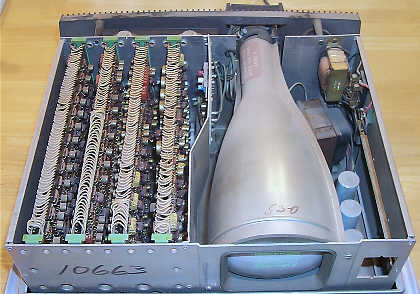
- The tube is irreplaceable. HP part 5083-1551 was used only in the 9100A and B, and the only source now is another 9100. A white getter means a cracked tube: do not power it. Its cracked glass support rods can short the deflection plates to the anode.
Jerry Walker has published a ten-part video series on repairing 9100Bs, listed with other material on hp9100.info.
7.5 Other machines
- SCM Cogito 240: the boards are joined by “harmonica” connectors with no backplane, so reaching a board low in the stack means removing all those above it, and testing a board in place is nearly impossible.
- Victor 3900: its MOS chips were spot-welded to the boards, so repair at chip level is very hard, and static through the keyboard and surges at switch-on killed chips even when new.
- Wyle WS-01: the magnetic-disk memory was temperamental from the start; the delay-line WS-02 is the one to have.
7.6 The delay line
A magnetostrictive delay line cannot be bought new, and the welds between its wire and the transducer tapes are delicate. Do not drop or jar a machine with a delay line, ship it well padded, and do not attempt to take the line apart. Its adjustment, the potentiometer with the lock nut, should only be moved to a measured setting.
7.7 Documents and parts
The documents that make repair possible are in the Library:
- Friden EC-130: service manual (1965), field service manual (1964), three-counter supplement, service letters 1–35, logic schematics (three-counter).
- Friden EC-132: temporary service manual, square-root service notes, logic schematic.
- Friden 1162: logic schematic.
- HP 9100B: schematics and microprogram flowcharts. HP’s own 9100A/B service manual (09100-90034, January 1971) and Tony Duell’s 187-page redrawn 9100B schematics are available from the HP Computer Museum’s document archive at hpmuseum.net, behind a download check, and are not yet in this Library.
Parts:
- Tubes. The Friden 130/132’s 5DEP1 and the 116x’s 3WP1 are standard American types, so new-old-stock examples may still turn up from tube dealers. The Victor 14-321’s RCA 4499 is a developmental number. The HP 5083-1551 is effectively unobtainable.
- Germanium transistors of the 2N1304/2N1305 and 2N404 families are sold by vintage-radio parts suppliers.
- Capacitors and resistors are ordinary; replace like for like in voltage rating.
- No commercial repair service for these machines was found. The people who know them are collectors and restorers: Rick Bensene of the Old Calculator Web Museum, the HP Museum forum, the Vintage Computer Federation forum, and the classiccmp mailing list.
Comments (0)