CRT Calculators · Volume 6
Operating Them
The CRT calculators were operated very differently from each other. The Fridens were the first commercial calculators to work with a stack in what is now called Reverse Polish Notation: you key a number, ENTER it, key the next, and then press the operation. The HP 9100 used a three-register scheme of its own, and the Cogito, Wyle and Victor machines had fixed-role registers. This volume works through each, using the factory manuals in the Library. I have checked the arithmetic of every example.
6.1 The Friden 130 and 132
The source is Friden’s instruction manual of 1964.
6.1.1 The registers
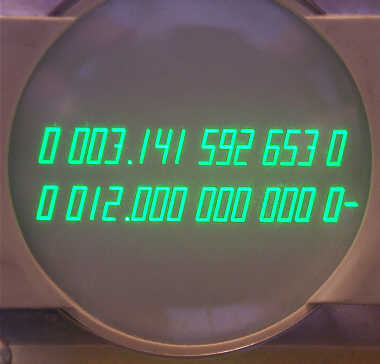
The screen shows four registers of 13 digits, a stack that fills and empties from the bottom:
- Register 1, the bottom line, is the working register. Every number keyed in and every answer appears here.
- Register 2 holds the other number of an operation. When registers 1 and 2 are combined, the answer appears in register 1 and anything in registers 3 and 4 moves down one place.
- Registers 3 and 4 hold intermediate answers. If a fifth number is entered with all four full, the contents of register 4 fall off the top and are lost.
- A fifth register, not displayed, is the memory, worked by STORE and RECALL.
6.1.2 The keys
Table 1 — The keys
| Key | What it does |
|---|---|
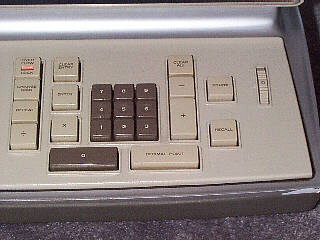
| digits and . | key a number into register 1, digit by digit from the right; the decimal point key is needed only if the number has decimals |
| ENTER | aligns the number in register 1 to the decimal setting; the next number keyed in then pushes it up into register 2 |
| + − × ÷ | combine registers 2 and 1 (register 2 plus, minus, times or divided by register 1); the answer appears in register 1 and the stack drops |
| REPEAT | copies register 1 into register 2, so that a number can be squared without keying it twice |
| CHANGE SIGN | changes the sign of register 1 |
| STORE, RECALL | copy register 1 into the memory; bring the memory back into register 1 (as often as needed) |
| CLEAR ENTRY | clears register 1, to correct a mistake in keying |
| CLEAR ALL | clears every register, the memory included |
| OVER-FLOW LOCK | lights when a number is too big for the decimal setting, and locks the keyboard; touch it, CLEAR ENTRY or CLEAR ALL to unlock |
| decimal selector | the thumbwheel at the right: 0, 2, 5, 7 or 13 decimal places on production machines |
A function key aligns the decimal point itself, so ENTER is not needed before CHANGE SIGN, REPEAT or RECALL. With the selector at 7, only six digits can be keyed to the left of the point (13 minus 7); keying 1,234,567.89 lights the overflow lamp when ENTER is touched. Digits beyond the selected decimal places are simply ignored.
6.1.3 Worked examples
With the decimal selector at 2:
- Addition, 3.25 + 4.5 + 10 = 17.75. Key 3.25, ENTER; key 4.5, touch + (register 1 shows 7.75); key 10, touch +: 17.75. Each new number pushes the running total up into register 2, and + brings the sum back down.
- Subtraction with a negative number, 23.45 − (−.895) = 24.345. This is the manual’s own example, which needs three decimal places, so set the selector to 5, as the manual does for most of its problems: key 23.45, ENTER; key .895, touch CHANGE SIGN; touch −: 24.34500. At a setting of 2 the keyboard would have ignored the 5 of .895.
- Multiplication, 12.5 × 8 = 100.00. Key 12.5, ENTER; key 8; touch ×.
- Squaring, 3.5² = 12.25. Key 3.5, touch REPEAT (both registers 1 and 2 now hold 3.5), touch ×.
- Division, 22 ÷ 7. Key 22, ENTER; key 7; touch ÷: 3.14 (3.142857… to the selected two places).
- A chain using the stack, (2 × 3) + (4 × 5) = 26. Key 2, ENTER, key 3, × (6 in register 1). Key 4: the 6 moves up to register 2. ENTER, key 5 (the 6 moves to register 3, the 4 to register 2), ×: 20 in register 1, and the 6 drops back to register 2. Touch +: 26.00. No intermediate result had to be written down or stored.
- A constant, 5% of several amounts. Key .05, STORE. For each amount: key it, touch RECALL (no ENTER is needed before RECALL), then ×. RECALL can be used as often as needed.
Division by zero blanks the display and the machine divides forever. Touch CLEAR ALL to recover. Dividing 13 nines by 1 takes about two seconds, the longest the machine ever takes.
6.1.4 The EC-132
The 132 works the same way, with these differences:
- A square-root key replaces the root of register 1 by its square root, in a tenth of a second to two and a half seconds; the display blanks while it works. The sign of a negative number is ignored.
- When the stack drops, the top register copies down instead of being emptied, so a constant left in register 4 is available again and again.
- CLEAR ALL becomes CLEAR DISPLAY, and a power lamp is added.
- The decimal selector has every setting from 0 to 13.
6.2 The Singer/Friden 1160, 1162 and 1166
The integrated-circuit Fridens keep the four-level stack but show only the bottom two registers. Their keys are renamed:
Table 2 — The integrated-circuit Fridens keep the four-level stack but show only the bottom two registers. Their keys are renamed
| 1162 key | Does |
|---|---|
| FIRST NUMBR / CHG SIGN | the 130’s ENTER, and change sign |
| DUP | duplicates the bottom register (the 130’s REPEAT) |
| I | exchanges the bottom two registers |
| CLEAR | pops the bottom register |
| CLEAR STACK | clears all four |
| TO MEMORY, FROM MEMORY | store and recall |
| √ (1162) or X+ (1160) | square root, or the 1160’s extra function |
The 1162 holds 14 digits with 0 to 11 decimal places. Dividing by zero loops forever with the keyboard locked; CLEAR STACK or switching off clears it. The 1166 adds a floating decimal and leading-zero suppression, and X= and X+ functions.
6.3 The HP 9100A and 9100B
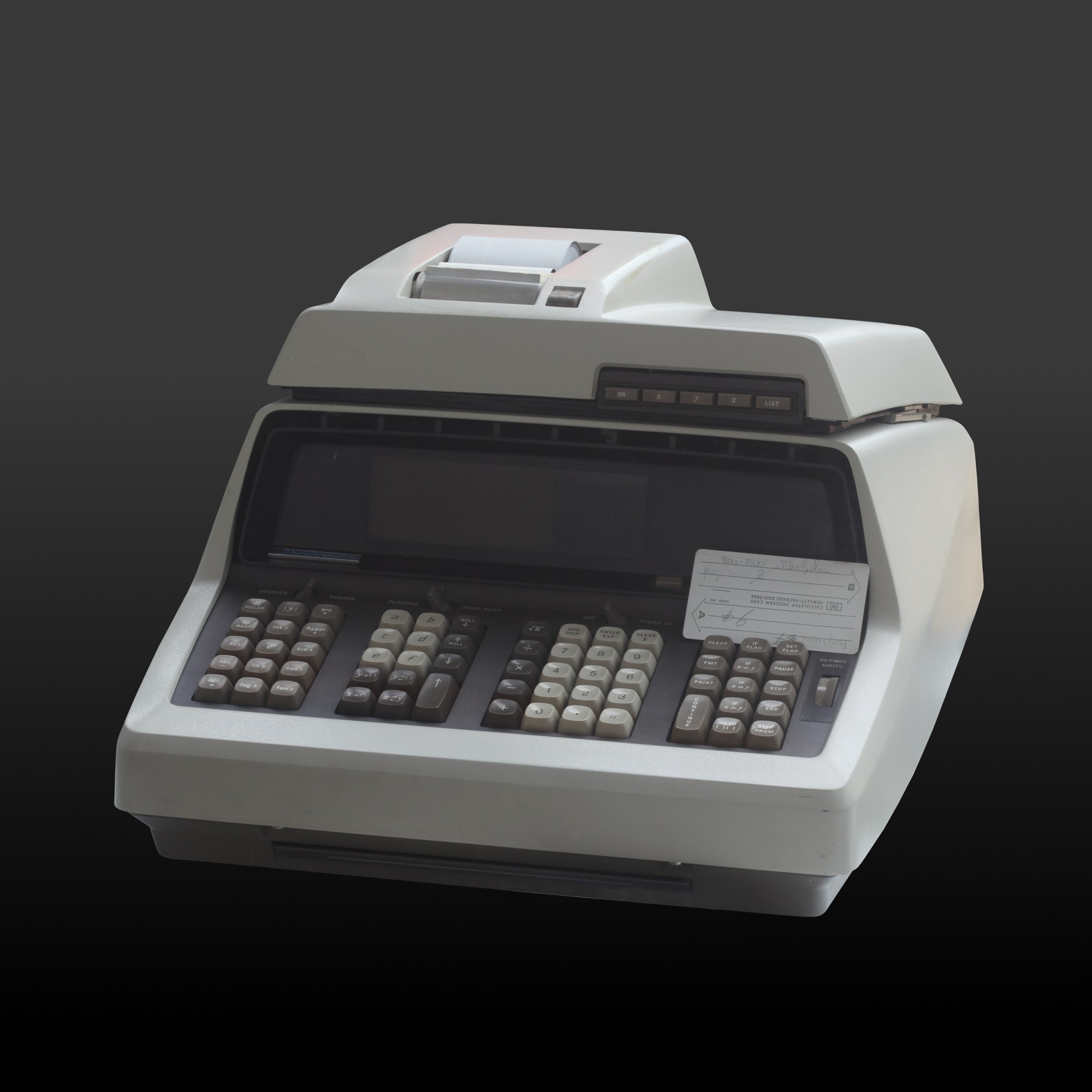
The sources are HP’s 9100A and 9100B Operating and Programming manuals and its training manual.
6.3.1 The registers
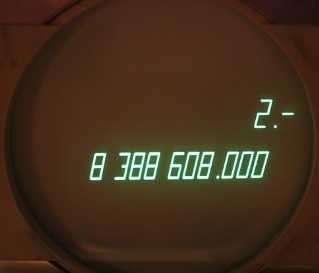
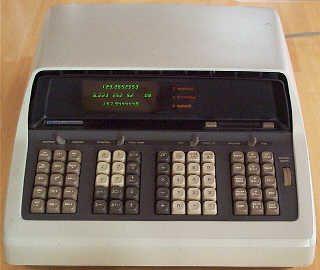
Three registers are displayed: X, the keyboard register (bottom line), Y, the accumulator, and Z, the temporary register. Numbers are shown with ten significant digits and a two-digit exponent, in fixed or floating format. Sixteen storage registers hold numbers or program steps.
The arithmetic keys work differently from the Friden’s: they combine X and Y and put the result in Y, leaving X unchanged. So a column of numbers is added by keying each into X and pressing +, and the running total accumulates in Y, like the accumulator of an adding machine. The ↑ key copies X up into Y, pushing Y into Z; ROLL ↑ and ROLL ↓ rotate the three registers; x⇄y exchanges X and Y.
6.3.2 Worked examples
From HP’s own manual:
- 8 + 4 = 12. CLEAR; key 8, ↑; key 4, +. Y shows 12, and X still shows 4.
- 6 + 7 + 4 = 17. CLEAR; key 6, ↑; key 7, +; key 4, +. Y shows 17.
Because the result lands in Y, multiplication and division work the same way: Y × X, or Y ÷ X, into Y. The function keys (logarithms, exponentials, trigonometric and hyperbolic functions, square root, coordinate conversion) act on X, or on X and Y together for conversions between polar and rectangular coordinates.
6.3.3 Programming
The 9100A runs programs of up to 196 steps, keyed in with the PROGRAM switch or read from a magnetic card that holds two programs of 196 steps. Programs can branch on conditions and stop for input. The 9100B doubles the storage, adds subroutines, and holds two 196-step programs in memory at once. HP’s program library of 1969 offers programs for engineering, statistics, surveying and finance. Peripherals included the 9120A printer, the 9125A X-Y plotter and the 9160A marked-card reader, whose manual is also in the Library.
6.4 The SCM Cogito 240 and 240SR
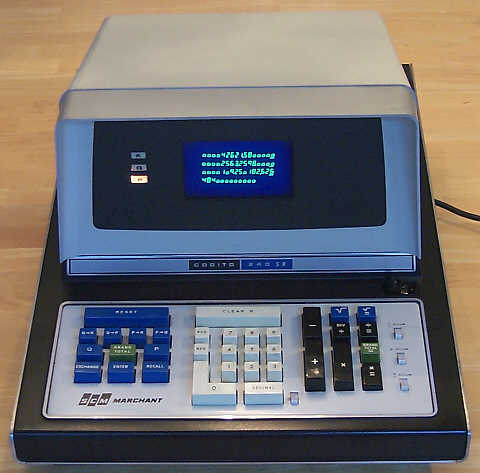
The Cogito is not a stack machine. It has three working registers with fixed roles: K, the entry register (12 digits); P, the accumulator (24 digits); and Q, the quotient and root register (12 digits); each has a shadow register (K′, P′, Q′). Transfer keys move numbers between them (Q to K, P to Q), and multiplication and division have their own = keys. The 240SR’s square root works by Newton’s method from a first guess the operator keys in, and takes up to about 25 seconds; division can take more than 4. An overflow shows as streaks on the screen.
6.5 The Wyle Scientific
The Wyle has six registers with fixed roles, all shown at once: ENTRY, ACCUMULATOR, MQ (multiplier-quotient) and three memories. Numbers have 24 digits with the decimal point fixed at 3, 6, 9 … 21 places. Negative numbers appear in tens complement: minus 1 shows as a row of 24 nines. The optional PC-01 reader runs programs of 12 steps per card, punched with a pen point or an IBM Port-A-Punch, and cards can be taped into loops. The instruction manual is in the Library.
6.6 The Victor 14-321
The Victor 14-321 works more like an adding machine: + and − accumulate in a hidden register, while × and ÷ keep a constant. Its memory (M+, M−, MR) is always shown on the top line. It does not reset itself at switch-on, so CLEAR ALL must be pressed first.
6.7 The Busicom 207 and 2017
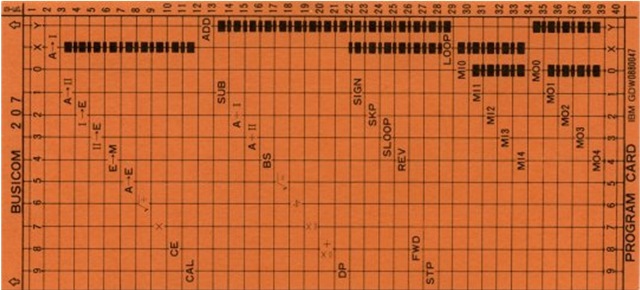
The Busicom card machines run programs straight from 40-column punched cards, 40 steps to a card. They branch by moving the card backwards and forwards through the reader.
Comments (0)