Graphing Calculators · Volume 1
Graphing Calculators: My TI-84 Plus CE
A graphing calculator is a scientific calculator with a screen big enough to draw on. Type a function, press a key, and it plots the curve, finds where it crosses the axis, tabulates it, fits a line through data, solves the equation and runs a program written by its owner. Casio sold the first one, the fx-7000G, in 1985. Texas Instruments followed in 1990 with the TI-81, and within a few years it had made the graphing calculator a fixture of the American mathematics classroom, required for parts of the Advanced Placement calculus exams from 1995. TI says it has sold more than 90 million graphing calculators since 1990.
Mine is a Texas Instruments TI-84 Plus CE, the colour-screen, rechargeable member of a family whose keyboard goes back to the TI-81 of 1990. It is also a small computer: a 48 MHz processor descended from the Zilog Z80, 154 KB of memory for the user’s programs and data, 3 MB of flash storage and a 320 × 240 colour screen.
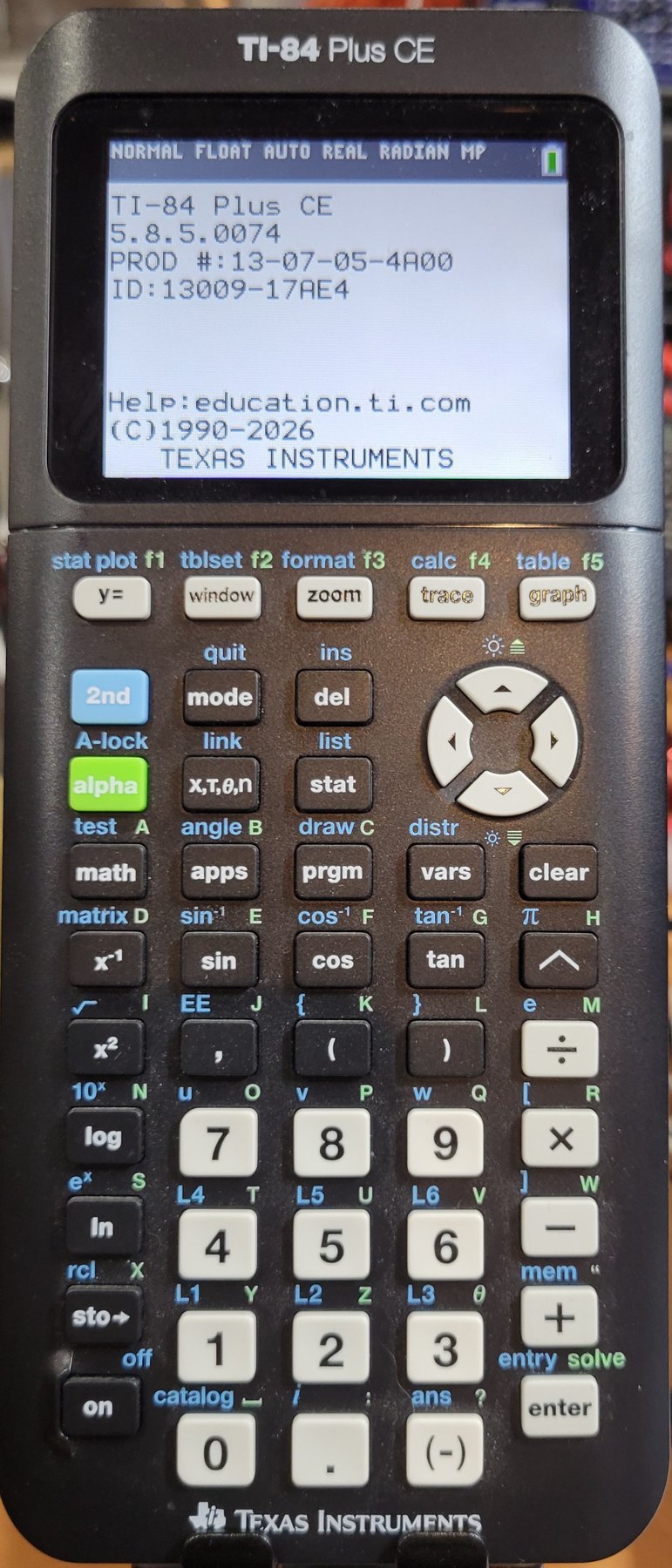
1.1 My TI-84 Plus CE
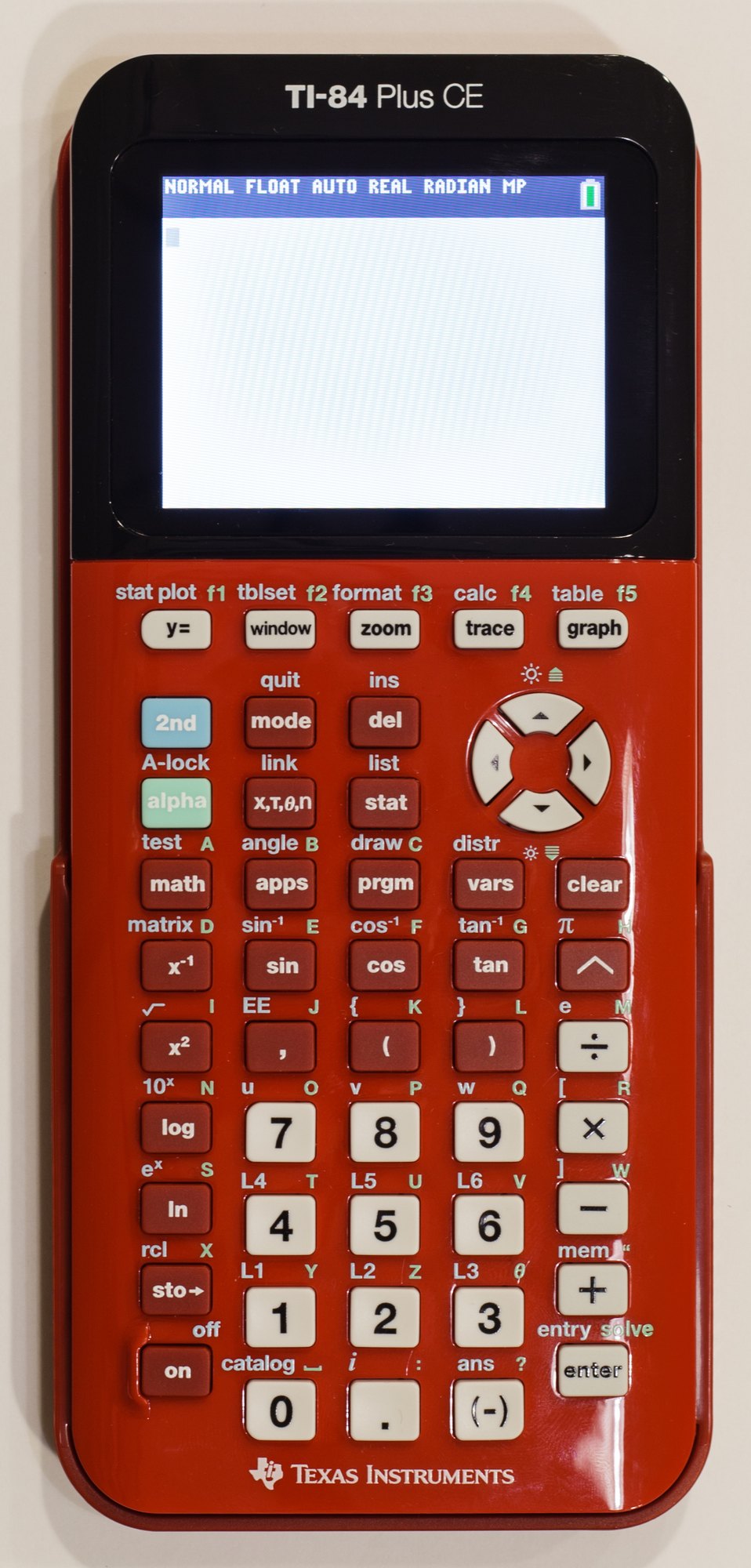
Texas Instruments announced the TI-84 Plus CE in Dallas on 27 January 2015, for sale “later this spring”. Its press release called it “30 percent thinner and 30 percent lighter” than the TI-84 Plus, with “six times the memory”, and listed the headline features:
Table 1 — Texas Instruments announced the TI-84 Plus CE in Dallas on 27 January 2015, for sale "later this spring". Its press release called it "30 percent thinner and 30 percent lighter" than the TI-84 Plus, with "six times the memory", and listed the headline features
| Feature | TI-84 Plus CE |
|---|---|
| Display | 320 × 240 pixels, 2.8 in diagonal, 140 dots per inch, 16-bit colour |
| Processor | Zilog eZ80 core at up to 48 MHz, inside a TI chip |
| Memory | 154 KB of RAM and 3 MB of flash archive for the user |
| Power | TI rechargeable lithium-ion battery, charged over USB |
| Keys and menus | the same as the TI-84 Plus |
| Exams | permitted on the PSAT/NMSQT, SAT, ACT and AP exams |
TI gave no price. A retailer’s listing published before the launch showed $129; Wikipedia’s comparison of TI calculators gives $150 as the starting list price. Peter Balyta, president of TI Education Technology, explained the design: “Students asked us to make their go-to graphing calculator slimmer, sleeker, more colorful, and lightweight.” The launch colours had names as well as hues: Classic black, Silver Linings, Radical Red, True Blue, Denim, Lightning, and Plum Pi, with Positively Pink, Golden Ratio and Bright White to follow.
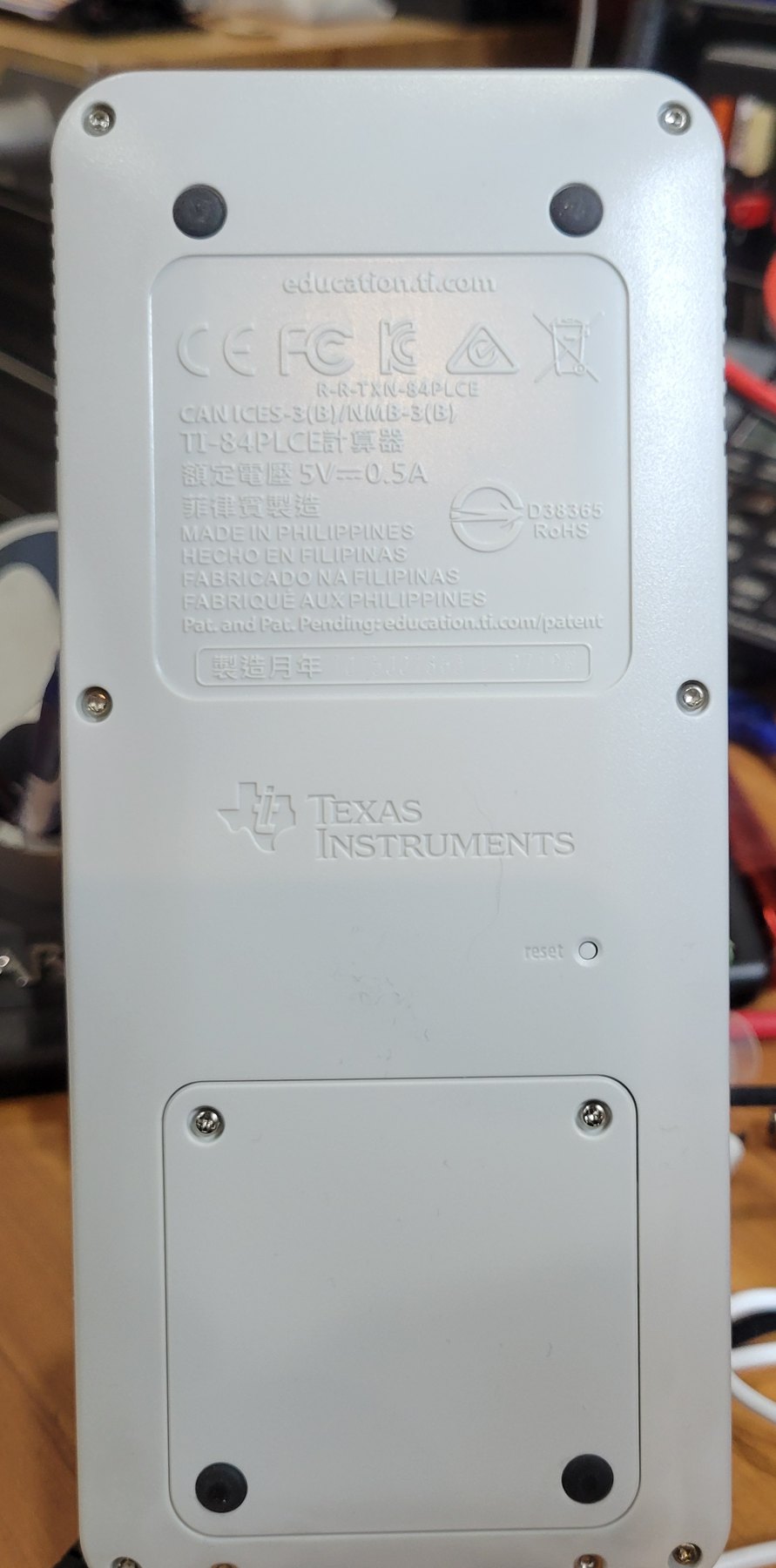
Mine has a black face and keys and a white back. Its About screen, opened with 2nd MEM 1, shows operating system 5.8.5.0074 and TI’s copyright line “(C)1990-2026”. The label moulded into the back gives the model as TI-84PLCE, rated 5 V and 0.5 A, and says it was made in the Philippines; the production code printed in the box under the label is too faint to read in my photograph.
1.2 A family that kept its keys
The TI-84 Plus CE is the last of a long line that changed its insides and kept its outside. The TI-81 of 1990 set the pattern of the keyboard: five graph keys in a row under the screen, beginning with Y= and ending with GRAPH, and the arrow keys to their right. The TI-83 Plus of 1999 added flash memory, and the TI-84 Plus of 2004 added USB and a clock. The TI-84 Plus C Silver Edition of 2013 brought a colour screen to the family, but kept a 15 MHz Z80 that could barely drive it. The CE replaced that processor with the faster eZ80, gave the screen a frame buffer in memory, and kept the rechargeable battery that the C Silver Edition had brought in place of the four AAA cells of the monochrome models.
The keys stayed put because the classroom depends on them. Textbooks print TI keystrokes, teachers learn them in TI’s training courses, and TI promised that the CE’s keys and menus would be the same as the TI-84 Plus’s. That continuity, and the exam rules that keep phones and laptops out of the exam room, explain why a graphing calculator in 2026 looks so much like one from 1996.
1.3 What a graphing calculator does
The central idea, set out in Casio’s patent of 1985, is simple: for each column of dots across the screen, work out an x value, compute y, and light the dot nearest to it. Everything else grew round that loop:
- Graphing functions, parametric curves, polar curves and sequences, with zoom, trace and a choice of window.
- Analysis of a graph: finding zeros, minima and maxima, intersections, derivatives and integrals numerically.
- Tables of values, side by side with the graph.
- Statistics: lists of data, scatter plots and histograms, regressions, tests and distributions.
- Programming, in TI-BASIC, and on the Python models in Python as well.
- Applications: finance, matrices, equation solvers, and add-on programs from TI and others.
1.4 What is in this series
- My TI-84 Plus CE: this introduction.
- The First Graphing Calculators, 1985–1999: Casio’s fx-7000G, Sharp’s EL-5200, Hewlett-Packard’s HP-28 and HP 48, and Texas Instruments’ TI-81 to TI-83 Plus.
- Colour, Python and Rivals, 2000–2026: the TI-84 Plus, TI-Nspire and colour TI-84s to my CE, the CE Python and the TI-84 Evo; Casio’s Prizm, HP’s Prime and NumWorks.
- The Classroom and the Exam Room: how TI won American schools, the exam rules, the price that never fell, and the exam modes.
- Inside the TI-84 Plus CE: the eZ80 and the TI chip around it, memory, the display chain, the keypad, flash, battery and the Python co-processor.
- How It Graphs and Calculates: pixels and windows, asymptotes, the nine-byte number, derivatives, integrals and solvers.
- Operating the TI-84 Plus CE: graphing, tracing, tables, regression, finance, matrices and the solver, worked from TI’s guides.
- Programming the TI-84 Plus CE: TI-BASIC and its tokens, assembly and C, the signing keys, the 2020 lockout, and Python.
- Care, Repair and Collecting: the battery, resets and the operating system, opening the case, older models, prices, emulators and the documents in the Library.
1.5 A note on the sources
The worked examples in volume 7 come from Texas Instruments’ guides, which are in the Reference Library. TI no longer publishes one complete guidebook for the TI-84 Plus CE: the current documents are a Getting Started guide, a reference guide, a programming guide and an online eGuide. Many of the examples come from the complete guidebook of its direct predecessor, the TI-84 Plus C Silver Edition (2013), which has the same screen, keys and menus; where a result appears only in one of TI’s screen pictures, the text says so and the picture is shown. The hardware volume relies on the community’s documentation, chiefly WikiTI and the source code of the CEmu emulator, because TI publishes no technical description of the calculator; the history draws on TI’s press releases, Casio’s and Hewlett-Packard’s own histories, Wikipedia’s comparison tables, Education Week, NPR and Cemetech. Where sources disagree, the text says so.
The other electronic dives on this site cover the scientific calculators that the graphing calculator grew from, and the pocket computers of the early 1980s, which had programmable dot-matrix displays before the fx-7000G.
Comments (0)