Soviet Calculators · Volume 7
Operating Them
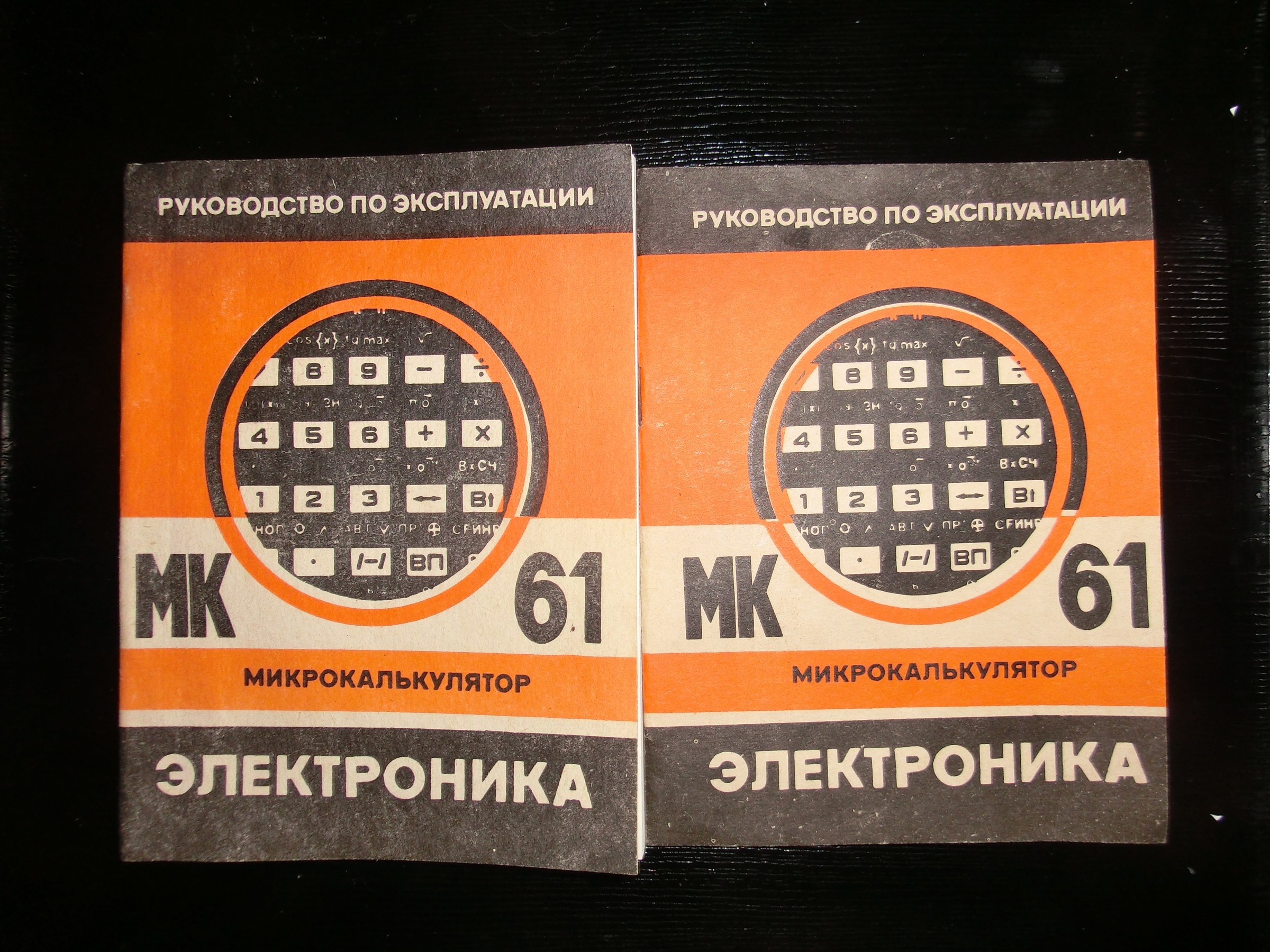
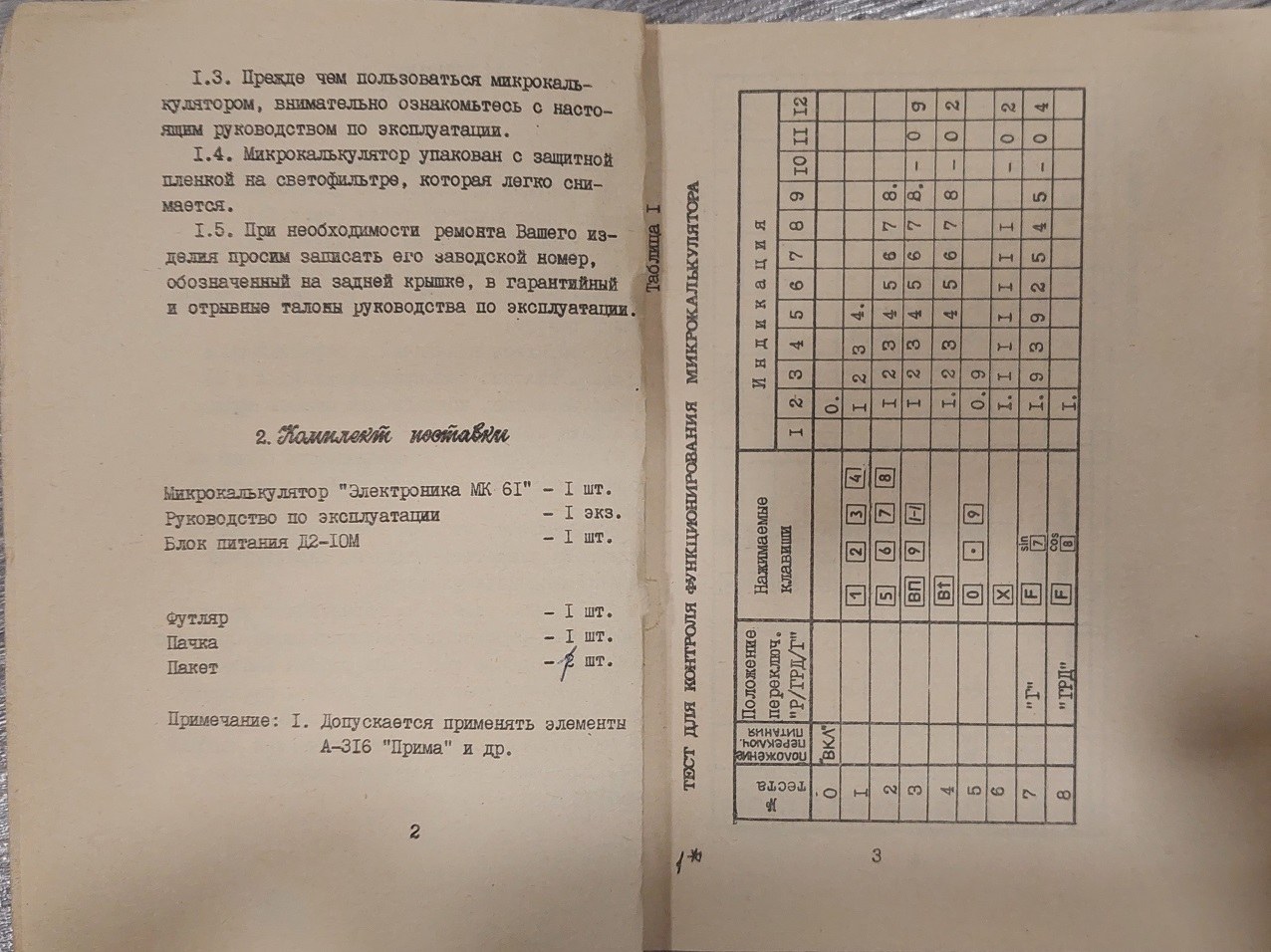
Soviet calculators came in the same two kinds as Western ones: algebraic machines, where the keys follow the problem as it is written, and the programmable machines with reverse Polish notation, where the numbers go in first and the operation follows. This volume works through one of each from its factory manual: the MK-51 scientific, and the MK-61 programmable, which runs the same command set as the B3-34, MK-54, MK-56 and MK-52. The key legends are Cyrillic, so the MK-61 section starts with a translation.
7.1 The MK-51 scientific
The MK-51’s manual describes a pocket scientific with a nine-digit liquid-crystal display, 35 operations, two levels of brackets, a memory, statistics, and a power consumption of no more than one-thousandth of a watt. Numbers appear in ordinary form from 10⁻⁷ to 10⁸ − 1 and in exponent form from 10⁻⁹⁹ to 9.9999 × 10⁹⁹, and every operation is accurate to within one unit in the eighth digit.
The display carries symbols for its modes: F when the function key has been pressed; П when the memory holds a number; К in constant mode; Г, РАД or ГРД for degrees, radians or grads; σ in statistics mode; and E in the first position on overflow. A point alone in the display means the cell needs replacing.
The keys:
Table 1 — The keys:
| Key | Meaning |
|---|---|
| 0 … 9, · | digits and decimal point |
| + − × ÷ | arithmetic; each also completes the operation set before it |
| = | completes the operation |
| [( and )] | two levels of brackets |
| /−/ | change the sign of the number or of its exponent |
| sin, cos, tg | trigonometric functions |
| √, 1/x | square root, reciprocal |
| ↔ | exchange the display and working registers |
| °′″ | convert degrees, minutes and seconds to decimal degrees |
| yˣ | power |
| ln, lg | natural and common logarithms |
| ВП | enter the exponent |
| Г РАД ГРД | change the angle unit, one press at a time |
| РЕЖ | mode: with F, statistics |
| х→П, П→х, П+ | store, recall, add to memory |
| С | clear the display and working registers, cancel F and constant mode; the memory is kept |
| СК | correct the last number or operation entered |
| F | second functions: 10ˣ, eˣ, roots, inverse trigonometric functions, x², π, factorial, and memory exchange |
Worked examples, as the manual gives them:
Table 2 — Worked examples, as the manual gives them
| Problem | Keys | Display |
|---|---|---|
| [(3 + 7) × 5 − 3] ÷ 8 = 5.875 | 3 + 7 × 5 − 3 ÷ 8 = | 5.875 |
| 8 + 5 + 3 + 3 + 3 = 22 | 8 + 5 + 3 + 3 + 3 = | 22. |
| 3 + 2.3 = 5.3, then 6 + 2.3 = 8.3 | 2 · 3 + + 3 =, then 6 = | K 5.3, K 8.3 |
| 7 − 5.6 = 1.4, then −4.5 − 5.6 = −10.1 | 5 · 6 − − 7 =, then 4 · 5 /−/ = | K 1.4, K −10.1 |
The first example shows that the MK-51 works from left to right, finishing each operation as the next key is pressed: 3 + 7 is 10, times 5 is 50, minus 3 is 47, divided by 8 is 5.875. The others show its constant: pressing an operation key twice makes the number on the display, and that operation, the constant, and the display shows K. Each new number followed by = then has the constant applied to it. A third press of the operation key, or another operation, leaves constant mode.
Overflow comes when any result exceeds 9.99999 × 10⁹⁹, when a result in memory would, on division by zero, on a function argument outside its range, or on an error in brackets or the memory during statistics. An E appears in the first position; C clears it.
7.2 The MK-61 programmable
7.2.1 The keys
The MK-61 has thirty keys with up to three meanings each: the white legend on the key, a yellow legend above it reached with F, and a blue legend reached with К.
Table 3 — The keys
| Key | English, or HP equivalent | Meaning |
|---|---|---|
| В↑ (↑ on the B3-34) | ENTER | push X into Y and lift the stack: Y to Z, Z to T, T lost |
| ↔ (XY) | x↔y | exchange X and Y |
| Сx | CLx | clear X |
| ВП | EEX | enter an exponent |
| /−/ | CHS | change the sign of the mantissa or exponent |
| F | yellow shift | the functions printed in yellow |
| К | blue shift | integer and fractional part, absolute value, sign, maximum, the logical operations, random number, no-op, indirect operations |
| Х→П (П on the B3-34) | STO | store X in a register: 0–9, a, b, c, d, e |
| П→Х (ИП on the B3-34) | RCL | recall a register into X |
| БП | GTO | unconditional jump; in run mode, set the program counter |
| ПП | GSB | call a subroutine, up to five levels deep |
| В/О | RTN | return from a subroutine; in run mode, set the counter to 00 |
| С/П | R/S | stop or start the program |
| ШГ→, ШГ← | SST, BST | step forward or back through the program |
| F ПРГ, F АВТ | PRGM, RUN | program mode and automatic (run) mode |
| F Вх | LASTx | the previous X, register X1 |
| F x<0, x=0, x≥0, x≠0 | conditional tests | |
| F L0 … L3 | DSNZ | count down a loop in registers 0 to 3 |
| F ⟳ | roll down | |
| К [x], К {x}, К |x|, К ЗН, К max | INT, FRAC, ABS, SIGN, MAX | |
| К ∧, ∨, ⊕, ИНВ | AND, OR, XOR, NOT | on the BCD digits |
| К СЧ | RND | a random number |
| К НОП | NOP | |
| К with БП, ПП, a test, П→Х or Х→П, then a register | indirect GTO, GSB, branch, RCL or STO | registers 0–3 count down before use, 4–6 count up |
| Р / ГРД / Г | RAD / GRAD / DEG switch |
7.2.2 The stack
The MK-61 uses reverse Polish notation with a four-level stack, X, Y, Z and T, and a “previous X” register, X1. For a two-number operation, key in the first number, press В↑, key in the second, and press the operation; for a function, key in the number, then F and the function. Mesquita’s notes to the English translation run the stack-lift test from Hewlett-Packard’s HP Solve, 5 В↑ /−/ 2 +, and get 7: the MK-61 behaves like the classic HP-25 and HP-65.
Two cautions from the manual: everything is lost when the calculator is switched off, and it should be left off for at least 30 seconds before being switched on again. After carrying it in the cold, leave it four hours at room temperature before switching on. A row of decimal points across the display means the cells are low.
7.2.3 A first program: the area of a circle
The manual’s first program finds the area of a circle from its diameter, S = πd²/4, with d in register 2:
Table 4 — The manual's first program finds the area of a circle from its diameter, S = πd²/4, with d in register 2
| Key | Code | What it does |
|---|---|---|
| П→Х 2 | 62 | recall d into X |
| F x² | 22 | d² |
| В↑ | 0E | copy d² into Y |
| F π | 20 | π into X |
| × | 12 | πd² |
| 4 | 04 | |
| ÷ | 13 | πd²/4 |
| С/П | 50 | stop and show the result |
To run it for d = 4:
- Store the diameter: 4 Х→П 2.
- In run mode, go to the start of program memory: БП 0 0.
- Enter program mode with F ПРГ and key in the eight steps. The display shows the address and the codes of the last steps entered.
- Return to run mode with F АВТ.
- Reset the program counter with В/О and run with С/П.
The display shows 12.56637: π × 4² ÷ 4.
The English translation numbers this program from step 01 and says that step 00 is not available; the Russian original, and programs published for the B3-34, number from 00. Keying it in from step 00, as above, is the original’s way.
7.2.4 Lunolet-1
The most famous program for these calculators is Лунолёт-1, “Lunolet-1”, a lunar-landing game published by Mikhail Pukhov in Техника — молодёжи no. 6 of 1985, in a story called Истинная правда, “The Real Truth”. Written for the B3-34, MK-54 and MK-56, it runs on the MK-61 and MK-52 with a few legends renamed. It fills almost the whole 98-step memory. The Library has the original magazine issue and an English translation, with the full listing.
The game sets up a ship on the Moon’s surface in the registers:
- register 4: the Moon’s gravity, 1.62 m/s²;
- register 5: the ship’s mass without fuel, 2,250 kg (two tonnes, plus a man of 150 kg and a boy of 100);
- register 6: the exhaust velocity of a kerosene and liquid-oxygen motor, 3,660 m/s;
- register 7: the greatest acceleration the crew can survive, 3 g, keyed as 9.81 В↑ 3 ×;
- registers A and B: height and speed, both zero;
- register D: 400 kg of fuel; register C: an hour of life support, 3,600 seconds;
- register 9: a stored error state, made by dividing by zero, so that the display can later show a “Г” for an over-g warning.
Each move is a burn: the fuel to use, then ПП, then the time, then С/П. After each, the display shows the height, and XY the speed. In the story’s first move, 65 kg in 3 seconds is too much: the display shows Г, an over-g emergency. Pressing С/П again gives a height of 169 m and a speed of 84 m/s. A two-second coast, 0 ПП 2 С/П, gives 334 m and 81 m/s. The physics checks: 169 + 84 × 2 − ½ × 1.62 × 2² = 333.8 m, and 84 − 1.62 × 2 = 80.8 m/s.
Pukhov’s later serial, Путь к Земле, “The Road to Earth”, ran in the same magazine from no. 8 of 1985 to no. 4 of 1986, with programs to check each chapter’s events; some of them drew the scene on the display, with E for the Earth, 0 for the Moon and a minus sign for the ship.
7.2.5 Eggogology for beginners
The study of the MK-61’s undocumented behaviour, described in the inside volume, began with Pukhov’s stories. Three things to try:
- Make a large number. 1 ВП 50 В↑ × gives 10¹⁰⁰: the display shows ЕГГОГ, but by the eggogologists’ account the number is still in the register, and dividing it by 10 should bring it back into the displayable range.
- Tell a real error from a large number. К НОП clears a genuine error but leaves a large number untouched.
- Look at the program codes as letters. A mode described in Техника — молодёжи no. 6 of 1987, credited to S. Bannikov, I. Emelyanov and B. Muradov, shows the codes of program steps on the display as “words”.
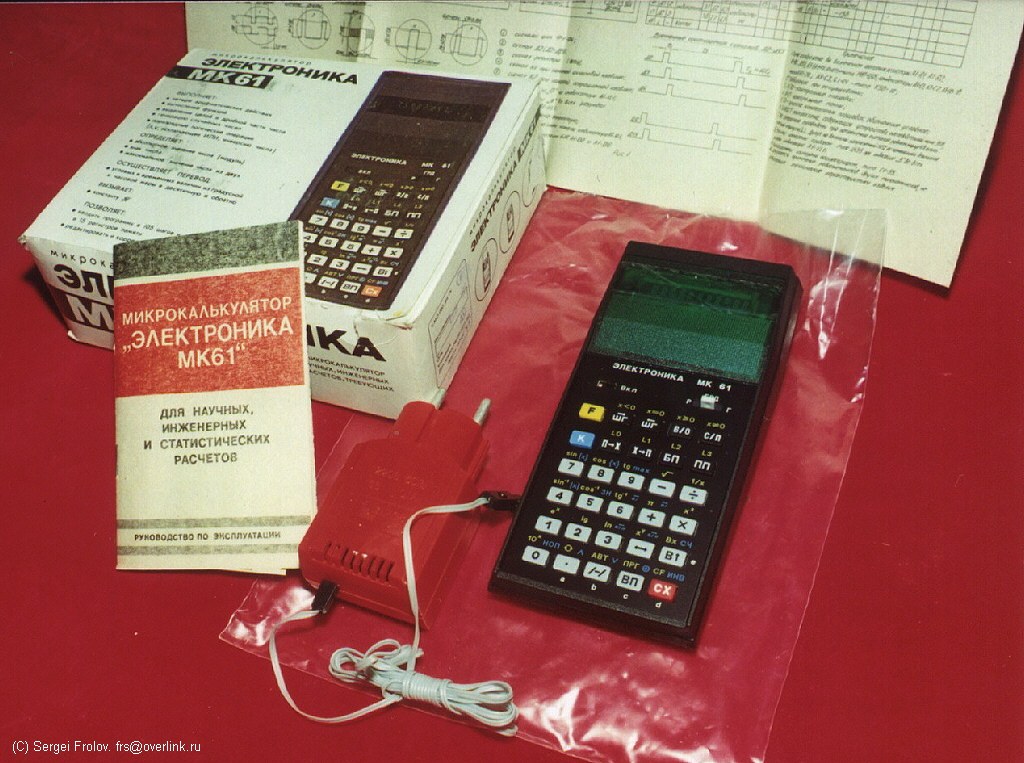
The manuals: the MK-61 operating manual and its English translation, the MK-52 manuals with their English version, the B3-34 manual and the MK-51 manual. For programs: Trokhimenko and Lyubich, Microcalculator, Your Move! (1985), and Epanechnikov and Tsvetkov, Handbook of Applied Programs for Microcalculators (1988).
Comments (0)