Pocket Computers · Volume 7
The Printer and Cassette Interface
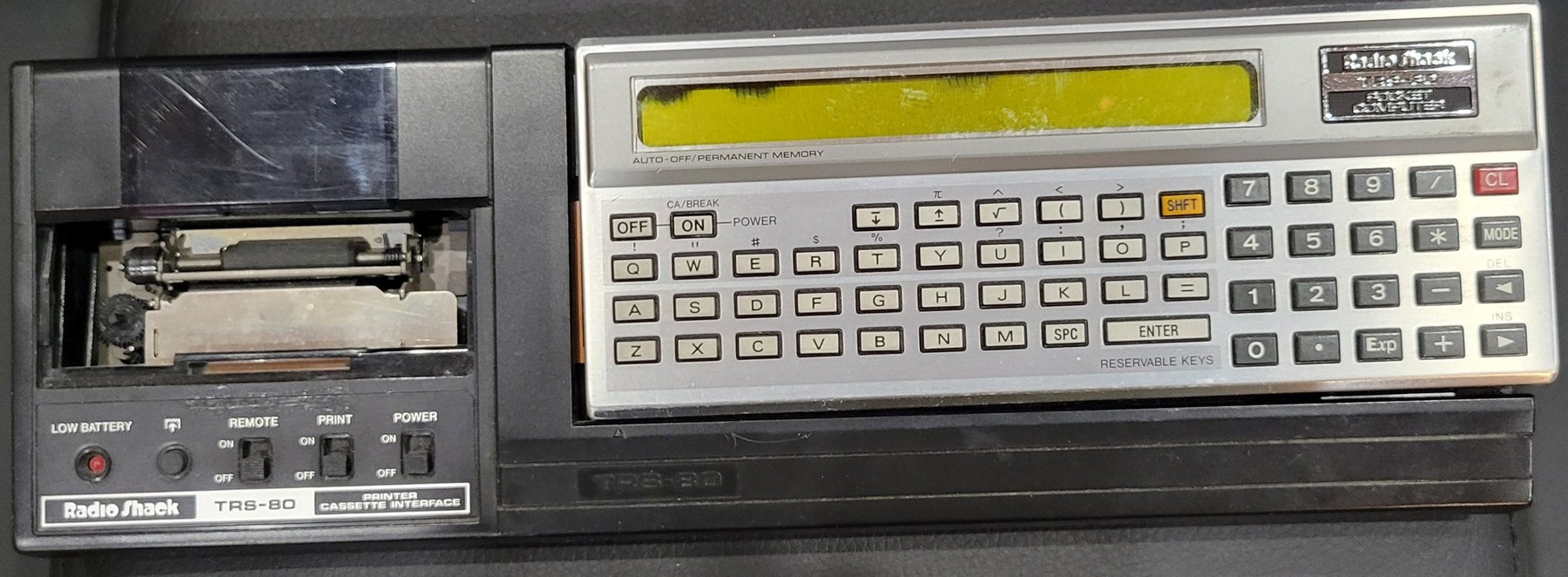
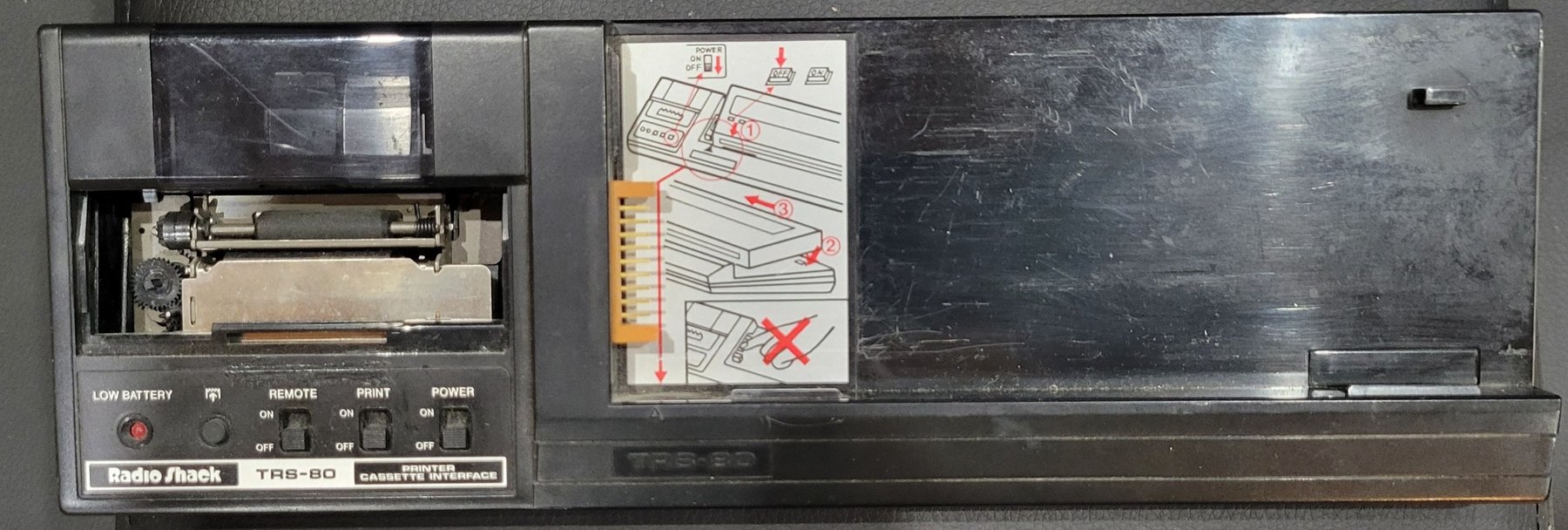
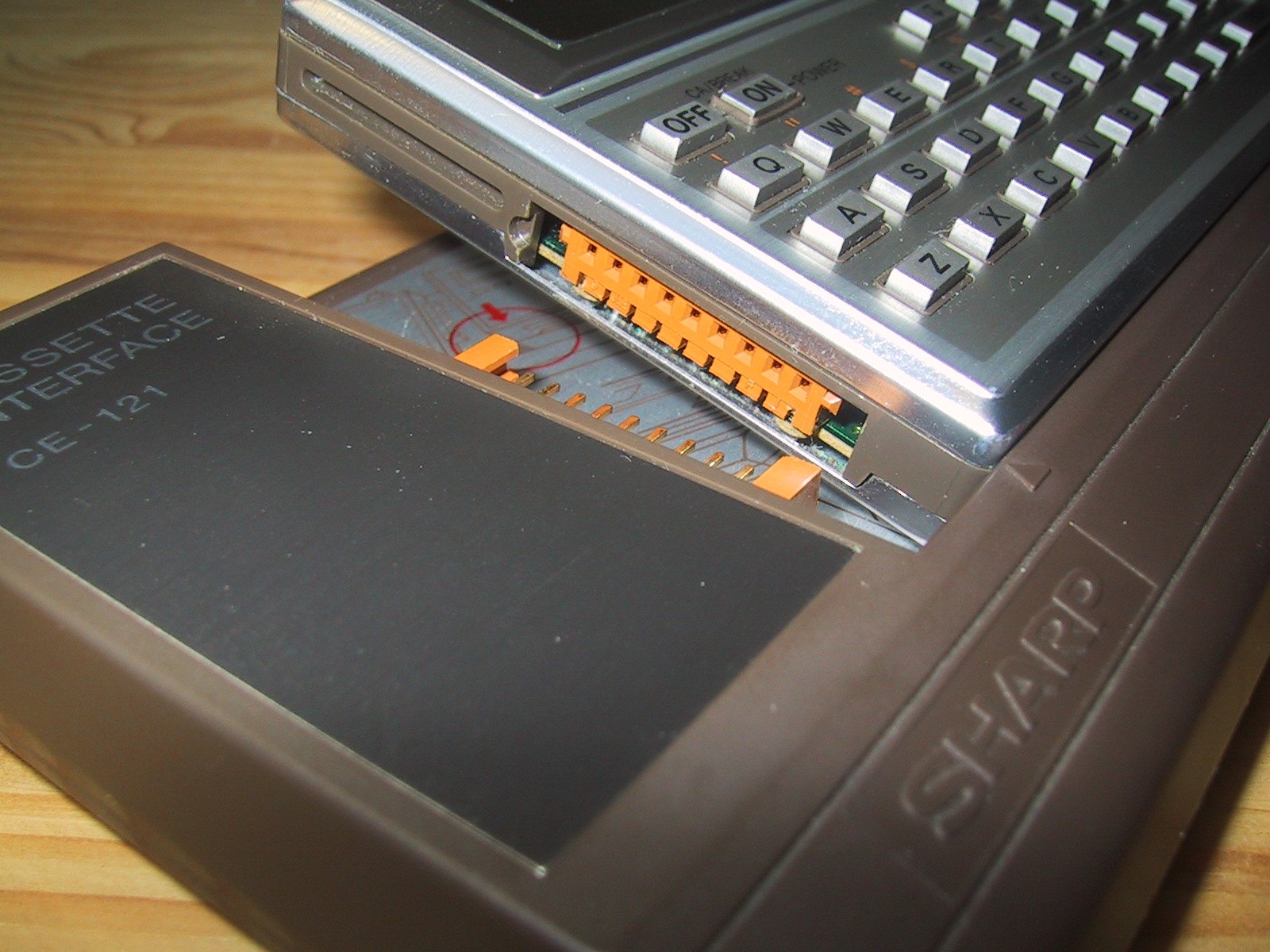
A pocket computer that forgets its program when its cells run down, or when its memory is wanted for something else, needs somewhere to keep programs. For the PC-1 that place was an ordinary cassette recorder. Radio Shack sold two interfaces for it: the Cassette Interface (26-3503), a small box that connected the computer to a recorder, and the Printer/Cassette Interface (26-3505), a cradle with a printer, a cassette connection and a rechargeable battery. Mine is the second. Sharp sold the same two as the CE-121 and CE-122.
7.1 The two interfaces
Table 1 — The two interfaces
| Cassette Interface | Printer/Cassette Interface | |
|---|---|---|
| Radio Shack | 26-3503 | 26-3505 |
| Sharp | CE-121 | CE-122 |
| Price | $49, later $29.95 | $149 (1982), later $127.95 |
| Power | three AA alkaline cells | its own 4.8 V Ni-Cd pack, charged from an adapter |
| Printer | none | 16 columns, about one line a second |
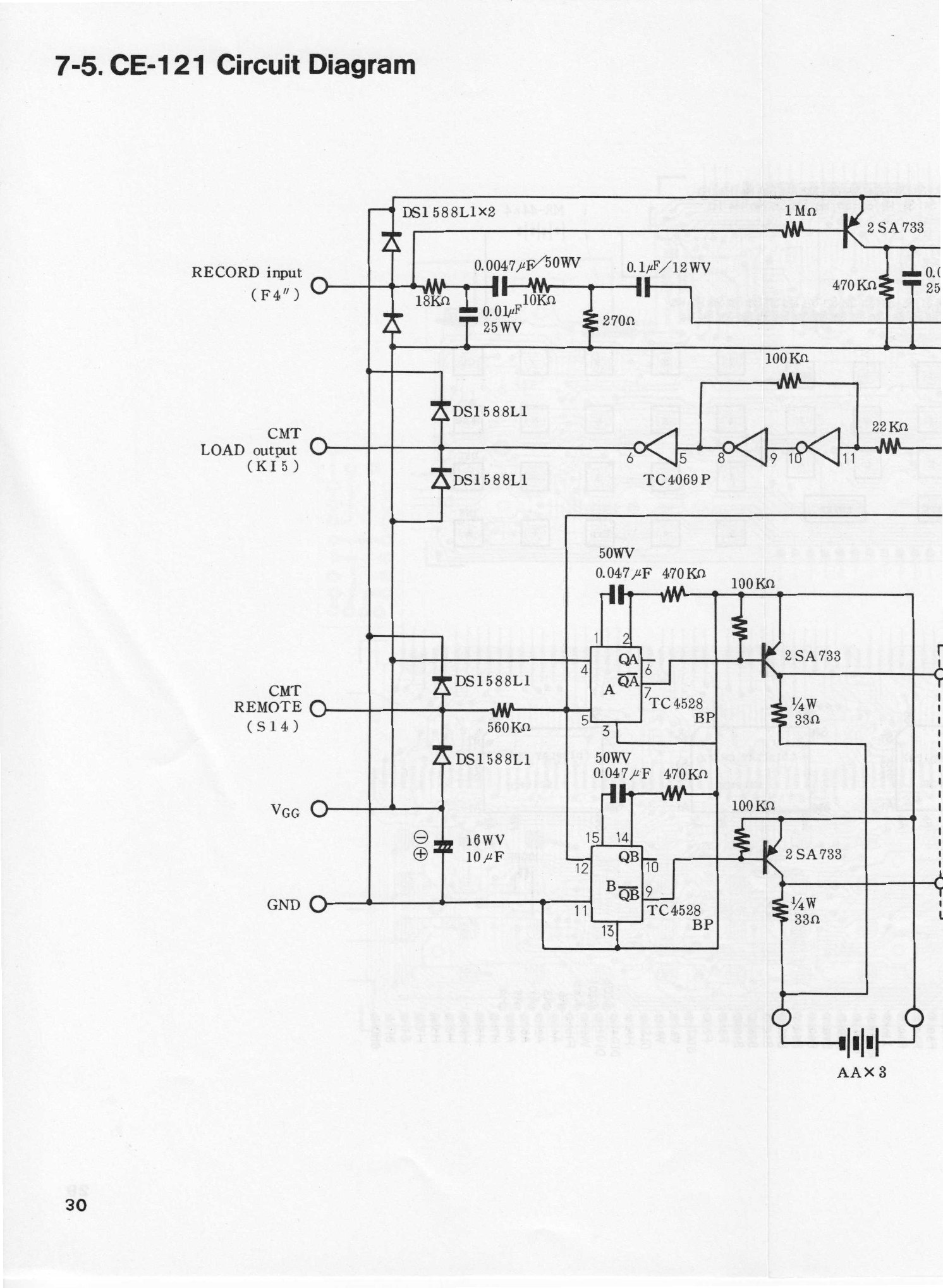
The Cassette Interface is a small circuit in a case of 3½ × 8¼ × ⅞ inches. Sharp’s service manual shows what is in it: a Toshiba TC4069 inverter, a TC4528 dual monostable, and an NR5711 relay for the recorder’s remote control. The recording signal from the computer is shaped by a network of resistors and capacitors into a level a microphone input will take; the playback signal from the recorder’s EAR socket goes back to the computer. The relay is driven by the two halves of the monostable, one triggered on the falling edge of the computer’s remote signal to switch it on and the other on the rising edge to switch it off. The owner’s manual asks for the cells to be replaced once a year.
7.2 Setting up the 26-3505
The manual is firm about docking the computer:
- Switch both the computer and the printer off. If either is on, the computer may hang with every key dead, and only the ALL RESET switch on its back will clear it.
- Take the protective cover off the computer’s connector, on its left side, and snap it into its holder on the bottom of the printer.
- Set the computer’s lower edge into the cradle, lay it flat, and slide it gently left until the pins meet. “Do not force the Computer and Printer together.”
Paper is a roll 45 mm (1 25/32 inches) wide, Radio Shack’s 26-3506; three rolls came with the interface. With the power on, the paper is fed into the slot and drawn through by the PAPER ADVANCE button. The ribbon is a cartridge, Radio Shack’s 26-3507 or Sharp’s EA-800R, fitted under the print-mechanism cover and tightened by turning its knob clockwise. A dried-out ribbon prints faintly; advancing the paper a few lines brings fresh ribbon to the head.
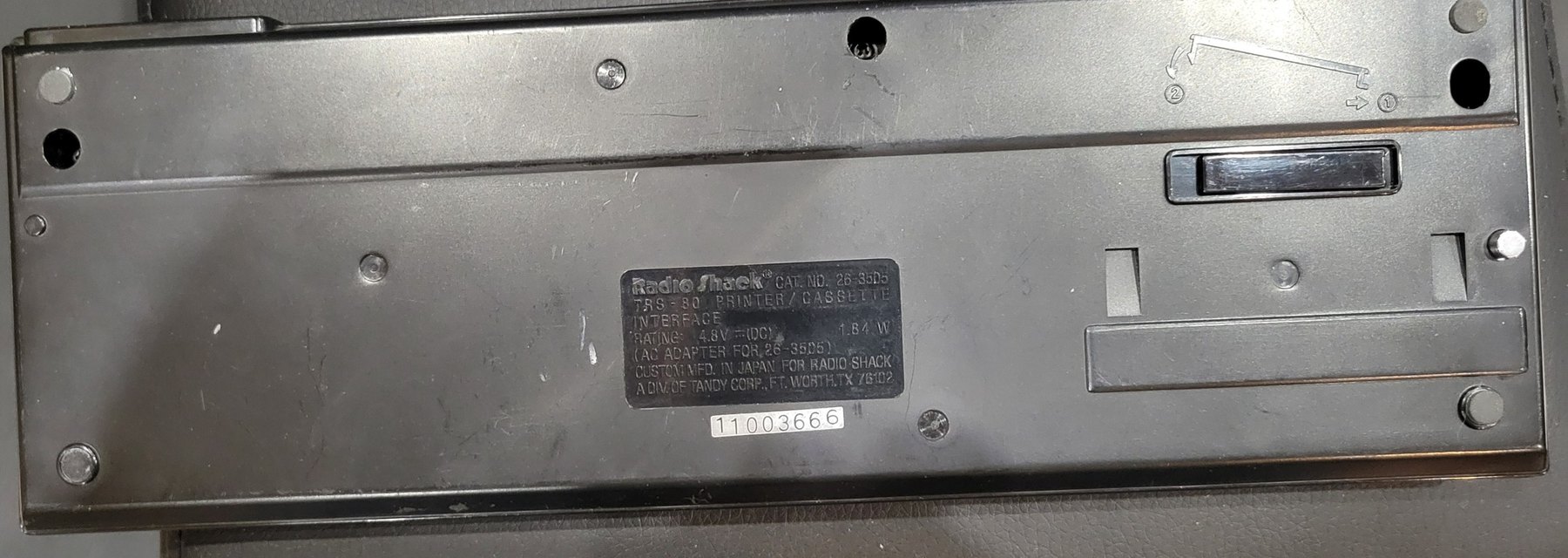
The interface runs on its own Ni-Cd battery pack, charged in about 15 hours from the adapter that came with it, Sharp’s EA-11E or Radio Shack’s equivalent, and good for about 8,000 lines of printing. “Using an AC adapter other than the supplied one may damage the Printer/Interface.” The LOW BATTERY lamp blinks when the pack needs charging, and while it blinks the interface ignores every printer and cassette command. After three months unused the pack will probably need charging before use.
7.3 The switches
- POWER turns the interface on. The paper advances one line at power-up to show it is ready; if it does not, the battery is too low. Wait at least a second between switching off and on.
- PRINT sends output to the printer. With POWER and PRINT on, pressing the computer’s ON key twice puts it in Print Mode, and PRINT and LIST then go to the paper instead of the display. To go back, switch PRINT off and press ON twice again.
- REMOTE lets the computer start and stop the recorder. With it on, CSAVE and CLOAD start the tape and stop it when they finish; with it off, the recorder’s own keys work, so tape can be wound without unplugging the remote lead.
Underneath is a silver-grey button that, the manual explains, has “nothing to do with the general operation”: it is there to reduce the effect of static electricity on the printer.
7.4 Printing
LIST in PRO mode prints the whole program, 16 columns to a line: three for the line number, a colon, and twelve for the statement, which wraps onto further lines if it is longer. LIST with a single line number shows that line on the display without printing it. Holding the computer’s ON key stops a listing.
PRINT in a running program goes to the paper. The printer puts numbers at the right of the line and text at the left, except where the items are separated by semicolons, which print from the left margin. Anything longer than 16 characters wraps.
The print mechanism has been identified by one restorer, N1UGK, as an Epson Model 150 mini-printer, an impact dot-matrix head with an ink ribbon, which takes Epson ERC-05 ribbons. A French museum record of the CE-122 also names the ERC-05 ribbon. Radio Shack’s manual calls it simply a mechanical dot-matrix printer.
7.5 Saving to tape
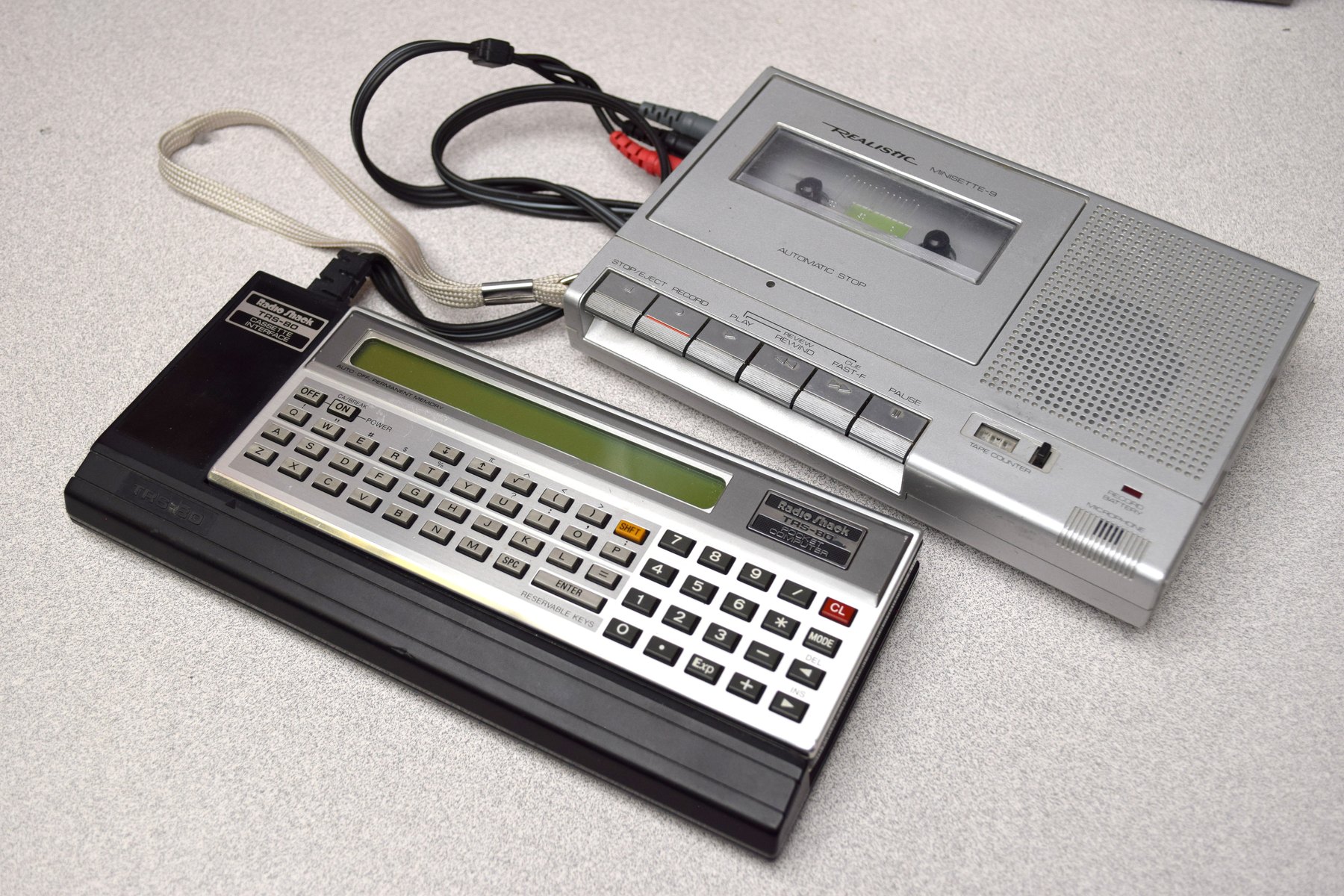
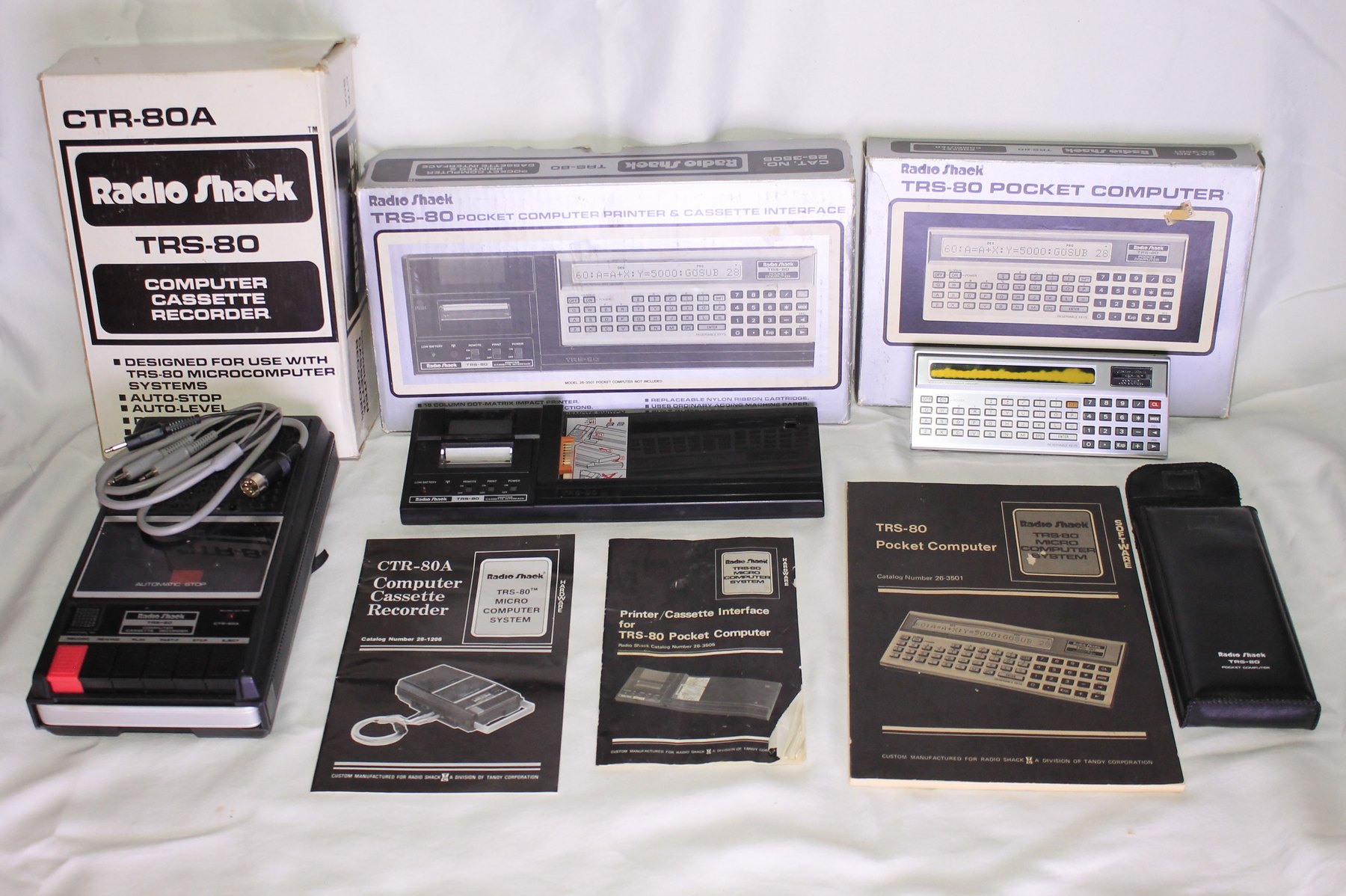
The cassette lead has three plugs: red to the recorder’s MIC socket, grey to EAR and black to REMote. Radio Shack recommended its CTR-80A and Minisette-9 (14-812) recorders and C-20 tapes; the owner’s manual suggests setting the tone to maximum and the volume at about 7 on its recorders, and warns that a tape made on one recorder may not load on another. N1UGK found that “any cassette recorder with a headphone and microphone jack would work perfectly well”.
The commands (owner’s manual, pp. 74–79):
Table 2 — The commands (owner's manual, pp. 74–79)
| Command | Does |
|---|---|
CSAVE "NAME" | records the program (or, in RESERVE mode, the reservable keys) under a name of up to 7 characters |
CLOAD "NAME" | finds the named recording on the tape and loads it |
CLOAD? "NAME" | plays the recording back and compares it with memory; error 5 if they differ |
CHAIN "NAME" | from inside a program, loads another program and runs it |
PRINT# "NAME" | records the data memories |
INPUT# "NAME" | loads data memories back |
The manual’s advice: do not record two programs with the same name on the same side of a tape, and check every recording with CLOAD?.
7.6 How a program becomes sound
Sharp’s service manual describes the recording in detail:
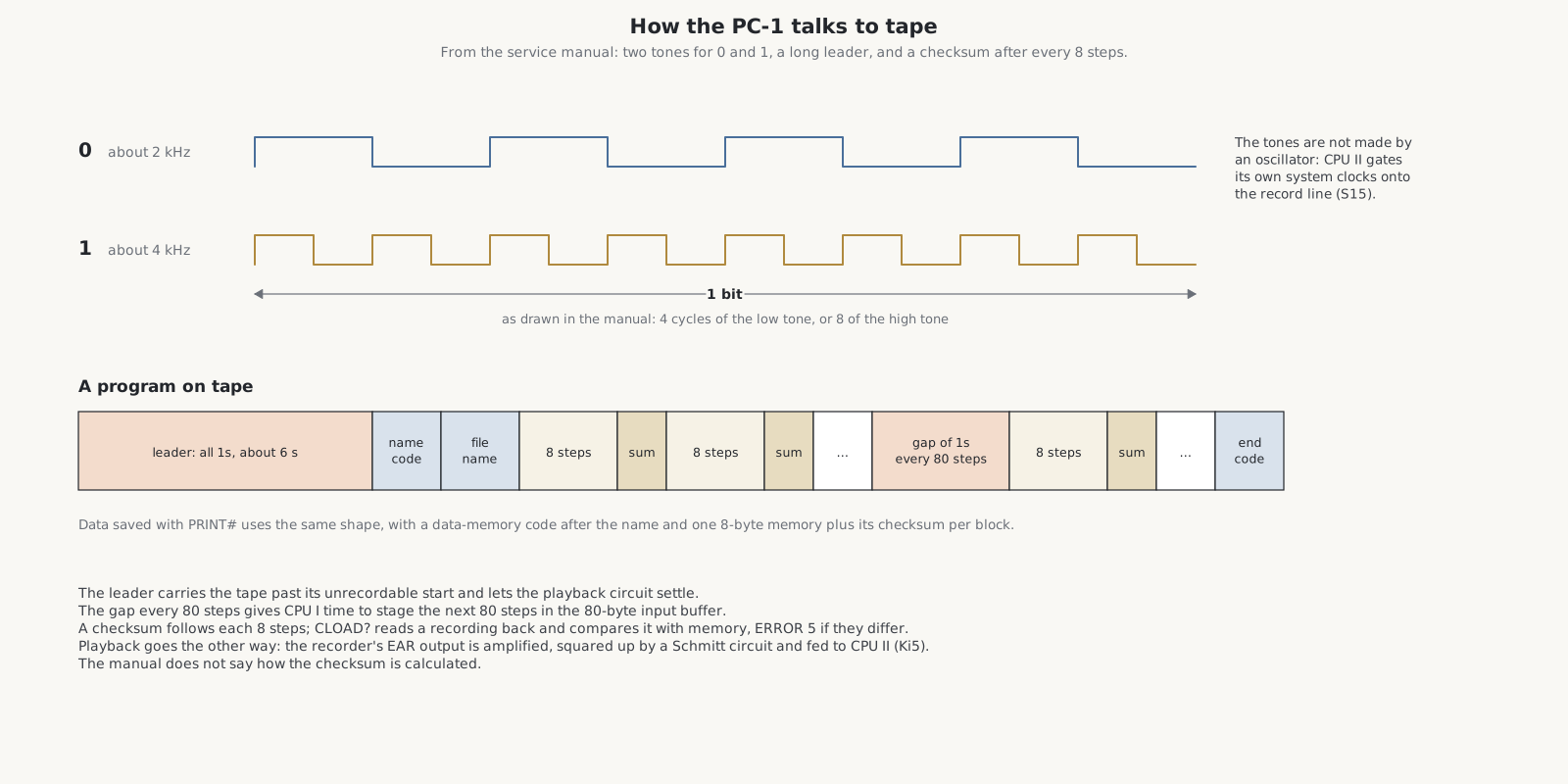
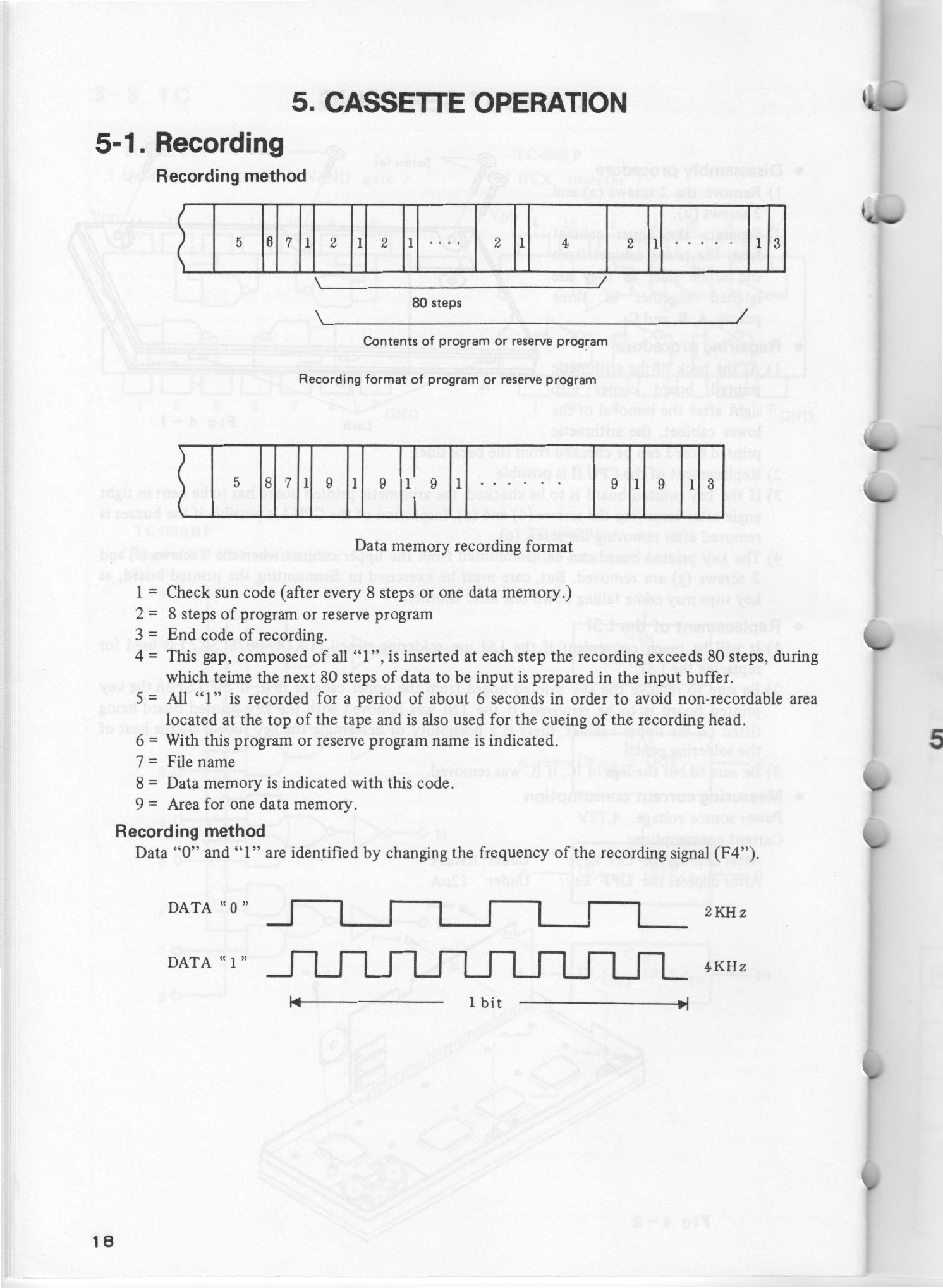
- Each bit is a burst of tone: a 0 is about 2 kHz and a 1 about 4 kHz. The manual’s drawing shows one bit as four cycles of the low tone or eight of the high. The tones are not made by an oscillator in the interface: the computer gates its own clock signals onto its record line.
- A recording begins with about six seconds of 1s, to carry the tape past the leader at its start, where nothing can be recorded, and to let the playback settle.
- Then come a code that says whether the file is a program or the reserve keys, and the file name.
- The program follows in blocks of 8 steps, each followed by a checksum.
- Every 80 steps there is a gap of 1s, while the computer stages the next 80 steps in its 80-byte input buffer.
- An end code finishes the file.
Data recorded with PRINT# has the same shape, with a data-memory code after the name and one 8-byte memory and its checksum in each block. On playback, the recorder’s EAR signal is amplified and squared up by a Schmitt trigger and read by CPU II.
The checksum’s arithmetic is not given in the manual, but the format is known well enough that Torsten Mücker’s PocketTools can turn PC-1211 recordings into files and files back into sound: one owner made recordings on a computer that “loaded correctly to PC 1211 by interface CE121”, and a collection of the programs from 119 Practical Programs has been converted to sound files that load when played from a laptop.
7.7 The whole family
Sources
- Radio Shack, Printer/Cassette Interface for TRS-80 Pocket Computer, 26-3505 (1982), pp. 3–16.
- Sharp, CE-122 instruction manual and brochure; Sharp, Service Manual PC-1211, CE-121, section 5 (cassette operation) and section 7-5 (CE-121 circuit).
- Radio Shack, TRS-80 Pocket Computer owner’s manual, pp. 74–79 and 91–101.
- N1UGK, “TRS-80 Pocket Computer PC-1” (2023); trs-80.org; PATSTEC (Université de Rennes) record of the CE-122; HP Museum forum on PocketTools and WAV files.
Comments (0)