Financial Calculators · Volume 7
Programming the 12C
The 12C can remember a sequence of keystrokes and play it back. A 12C program is not written in a language; it is the keys a user would press anyway, recorded line by line, with a few instructions for jumping and testing added. That is enough to automate a calculation repeated many times, to run a loan schedule month by month, or to add functions the keyboard lacks. HP’s user’s guide gives four sections to programming and five more to ready-made programs for real estate, investment, leasing, savings and bonds. Page numbers below are from its Edition 5 (2008).
7.1 A first program
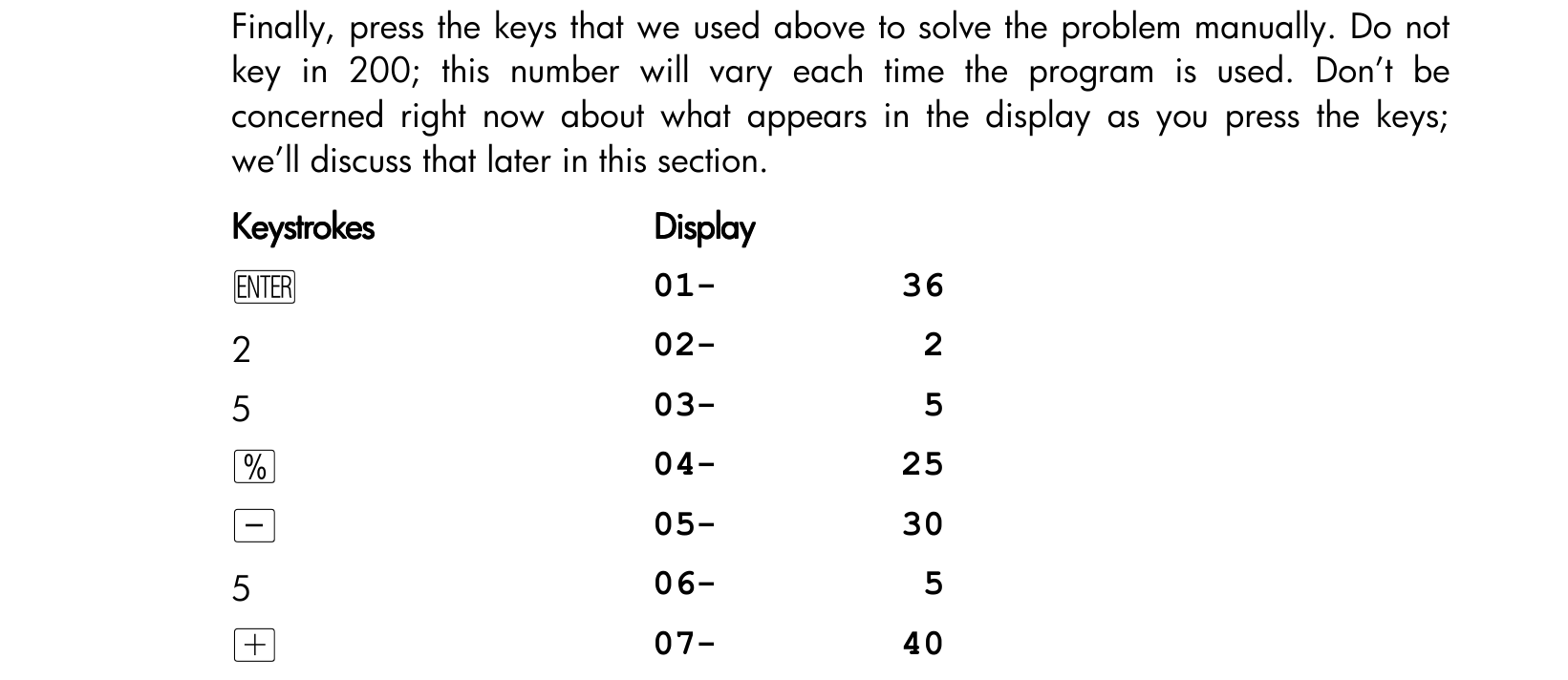
HP’s first example (pp. 88–90) is a price after a 25 per cent discount, plus a $5 handling charge. Worked by hand for a $200 item, it is 200 [ENTER] 25 [%] [−] 5 [+] → 155.00. To store it:
- f P/R switches to program mode; the PRGM indicator lights.
- f CLEAR PRGM erases any program already there.
- Key the same steps, leaving out the 200, which will change each time: ENTER 2 5 % − 5 +.
- f P/R returns to run mode.
Now 625 [R/S] gives 473.75, and 159 [R/S] gives 124.25.
In program mode the display shows each line as a number and a key code, not a symbol: the code is the key’s position on the keyboard, its row and then its column, so %, in the second row and fifth column, is 25, and +, in the fourth row and tenth column, is 40. Digits show as themselves. A shifted function shows both keys, so g GTO 00 appears as 43,33 00 (pp. 91–92). SST steps forward through a program one line at a time and g BST steps back, in either mode, which is how programs are checked and corrected.
7.2 Memory: lines and registers
The 12C’s memory is shared between program lines and data. At a reset it has 8 program lines and 20 storage registers. Keying a ninth line takes over register R.9 and turns it into seven more lines; each further seven lines takes another register, R.8 and so on downwards. At the limit of 99 lines, thirteen registers have been converted and seven remain, R0 to R6: 99 = 8 + 13 × 7 (pp. 94–95). g MEM shows how memory is divided, for example P-08 r-20, eight lines and twenty registers free. The 12C Platinum has 400 lines on the same plan. Volume 4 shows the arrangement as a diagram.
7.3 Branching and looping
A program normally runs from one line to the next and stops at the end. Three instructions change that:
- g GTO nn jumps to line nn. A jump backwards makes a loop.
- g x≤y tests whether the number in X is less than or equal to the number in Y.
- g x=0 tests whether X is zero.
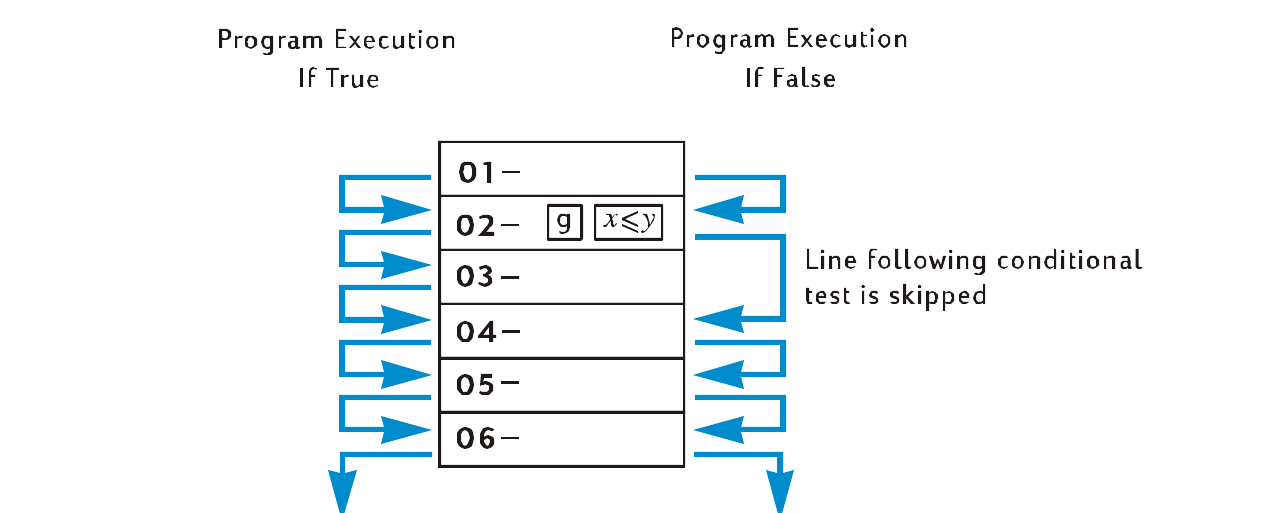
The two tests follow the rule HP sums up as “DO if TRUE”: if the condition holds, the program carries on with the next line; if not, it skips the next line (p. 107). The next line is usually a GTO, so a test and a jump together make a branch.
HP’s loop example (pp. 104–107) amortizes a mortgage one payment at a time: $50,000 for 30 years at 12¾ per cent, a payment of −543.35. The program stores the number of payments, then repeatedly runs f AMORT, pauses to show the interest, swaps with x≷y, pauses to show the principal, and jumps back with g GTO 02:
Table 1 — HP's loop example (pp. 104–107) amortizes a mortgage one payment at a time: $50,000 for 30 years at 12¾ per cent, a payment of −543.35. The program stores the number of payments, then repeatedly runs f AMORT, pauses to show the interest, swaps with x≷y, pauses to show the principal, and jumps back with g GTO 02
| Line | Keys | Does |
|---|---|---|
| 01 | STO 0 | keep the number of payments per pass |
| 02 | RCL 0 | recall it |
| 03 | f AMORT | amortize that many payments |
| 04 | g PSE | pause to show the interest |
| 05 | x≷y | bring up the principal |
| 06 | g PSE | pause to show it |
| 07 | g GTO 02 | go round again |
Run with 1 in the display, it shows each month in turn: interest −531.25 and principal −12.10 for the first payment, −531.12 and −12.23 for the second, −530.99 and −12.36 for the third, until any key stops it.
The branching example (pp. 108–111) works out income tax at 20 per cent on incomes of $20,000 or less and 25 per cent above. The test value 20,000 is stored in R0 and the two rates in R1 and R2:
Table 2 — The branching example (pp. 108–111) works out income tax at 20 per cent on incomes of $20,000 or less and 25 per cent above. The test value 20,000 is stored in R0 and the two rates in R1 and R2
| Line | Keys | Does |
|---|---|---|
| 01 | RCL 0 | recall 20,000; the income moves to Y |
| 02 | x≷y | income in X, 20,000 in Y |
| 03 | g x≤y | is the income 20,000 or less? |
| 04 | g GTO 07 | if so, go to the 20 % rate |
| 05 | RCL 2 | otherwise recall 25 |
| 06 | g GTO 08 | and go on |
| 07 | RCL 1 | recall 20 |
| 08 | % | the tax |
An income of 15,000 gives 3,000.00, 20 per cent of it. HP’s guide advises checking a program like this with incomes below, at and above the test value, so that every branch is tried.
7.4 Ready-made programs
Half of the user’s guide is solutions, programs and procedures for problems the keyboard does not cover directly (Sections 12 to 16):
- real estate and lending: the annual percentage rate of a loan with fees, the price and yield of a mortgage bought at a discount or premium, the rent-or-buy decision, deferred annuities;
- investment analysis: partial-year depreciation by each method, crossover from declining-balance to straight-line, excess depreciation, and the modified internal rate of return, HP’s answer to cash flows with more than one IRR;
- leasing: payments made in advance, with and without a residual value;
- savings: converting a nominal interest rate to an effective one, and to a continuously compounded one;
- bonds: bonds on a 30/360 day basis and bonds with annual coupons, which the keyboard’s PRICE and YTM keys do not handle.
HP’s separate HP-12C Solutions Handbook (1987) and the HP-12C Training Guide (1984), both in the Library, add many more.
7.5 Emulators
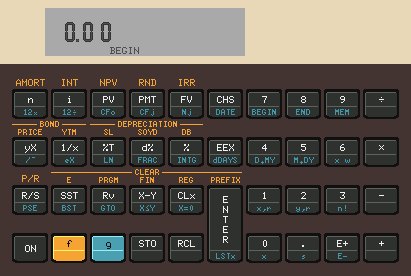
The 12C’s program has outlived its processor, and so can a user’s program. The official HP 12c app, now published by Moravia, runs on phones; SwissMicros’ DM12 calculators run the original program in an emulator; and the open-source X11-calc emulator, among others, runs on Linux computers.
Sources
- HP, HP 12c financial calculator user’s guide, Edition 5 (2008): Sections 8–11 (pp. 88–122) and 12–16 (pp. 124–168).
- HP, HP-12C Solutions Handbook (1987) and HP-12C Training Guide (1984); HP, 12C Platinum Owner’s Handbook (2003), p. 92.
- Wikipedia, “HP-12C” (emulators and apps).
Comments (0)