Dial Adders · Volume 6
Operating a Lightning: The Factory Methods
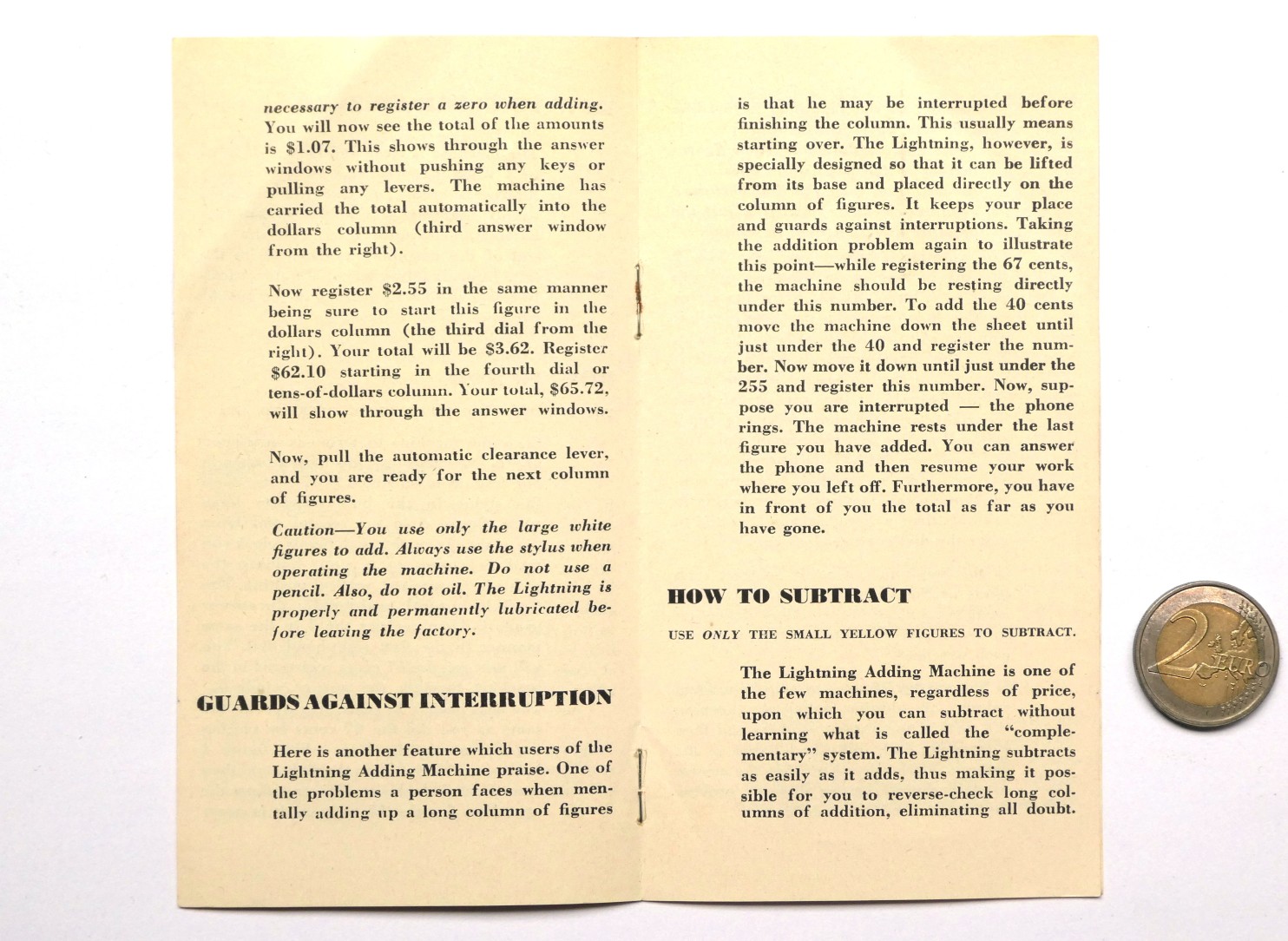
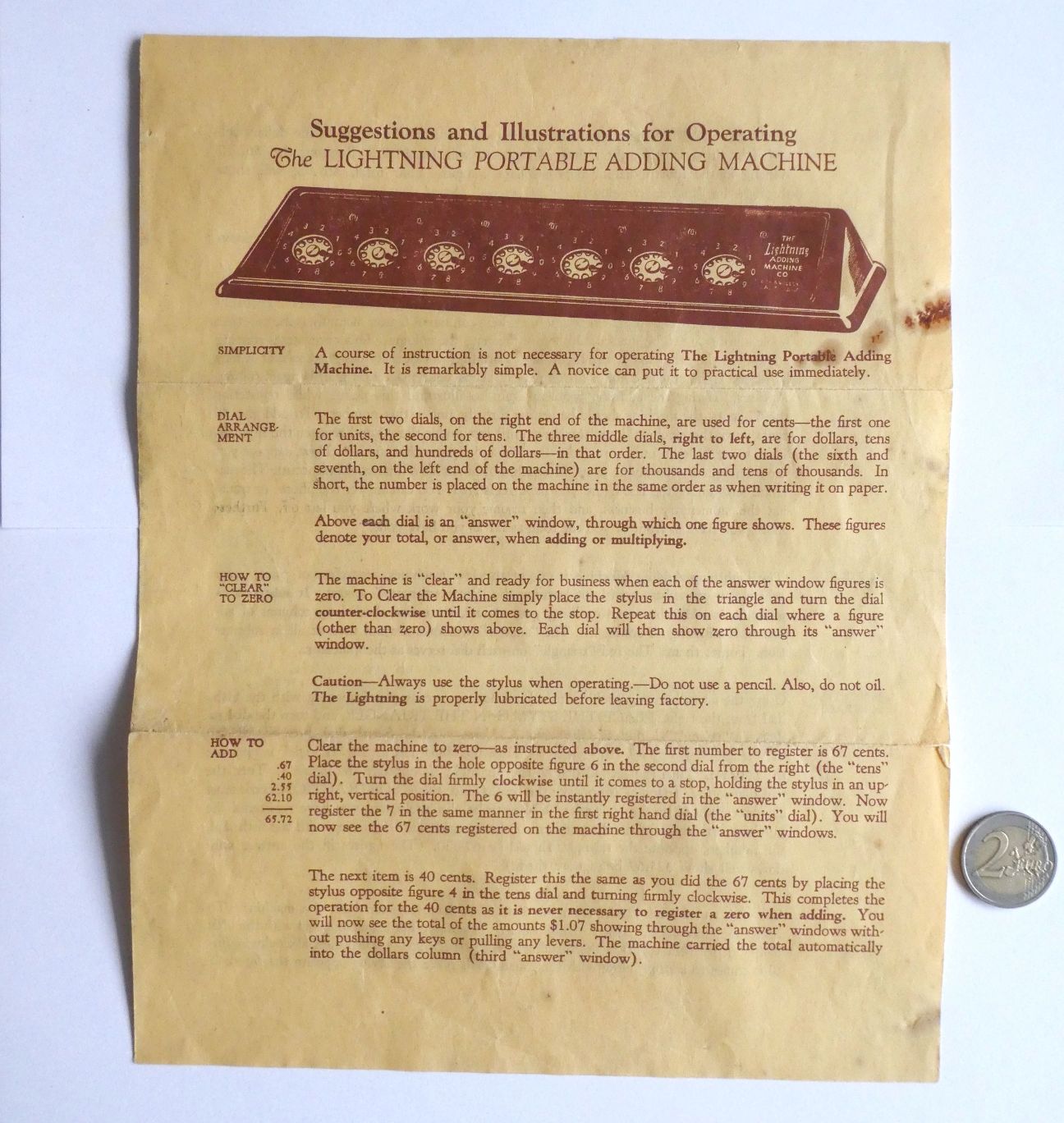
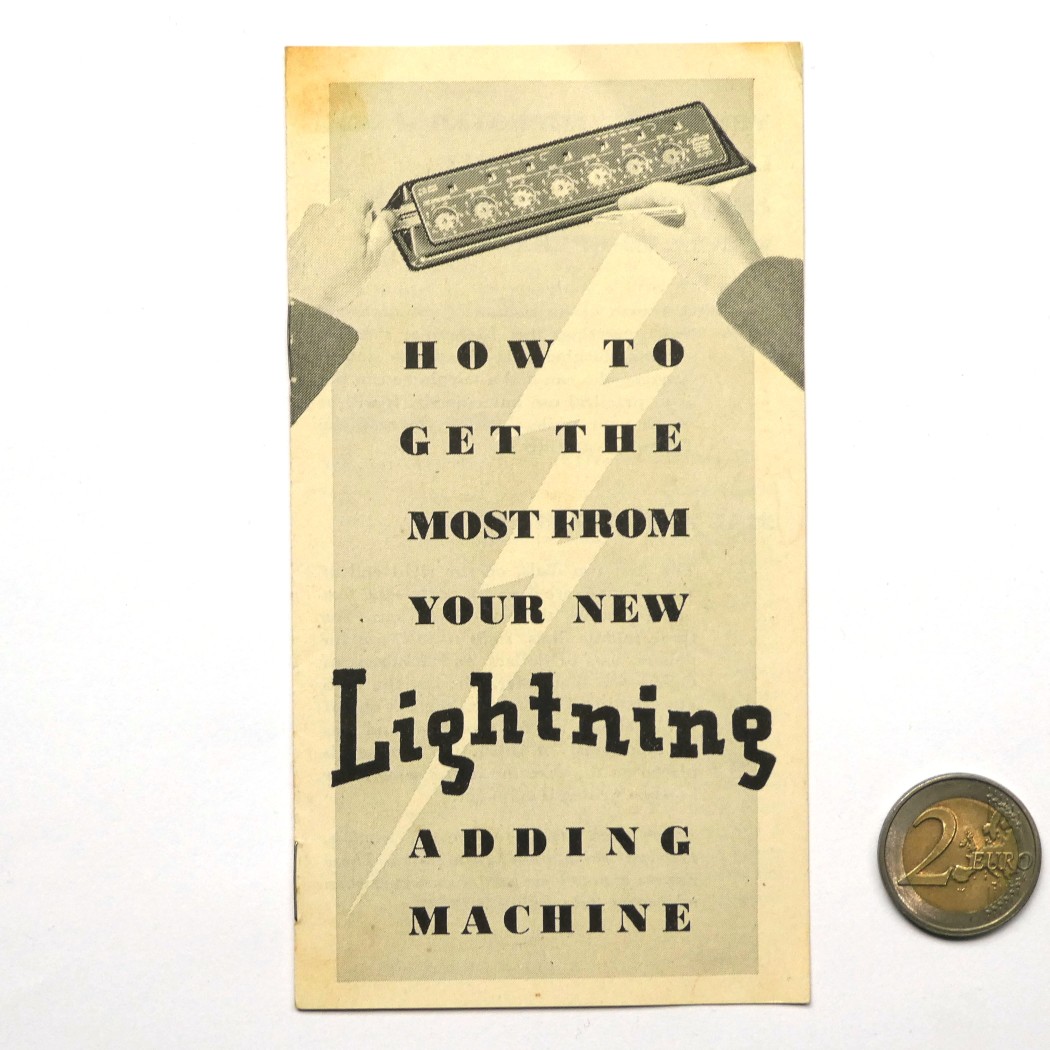
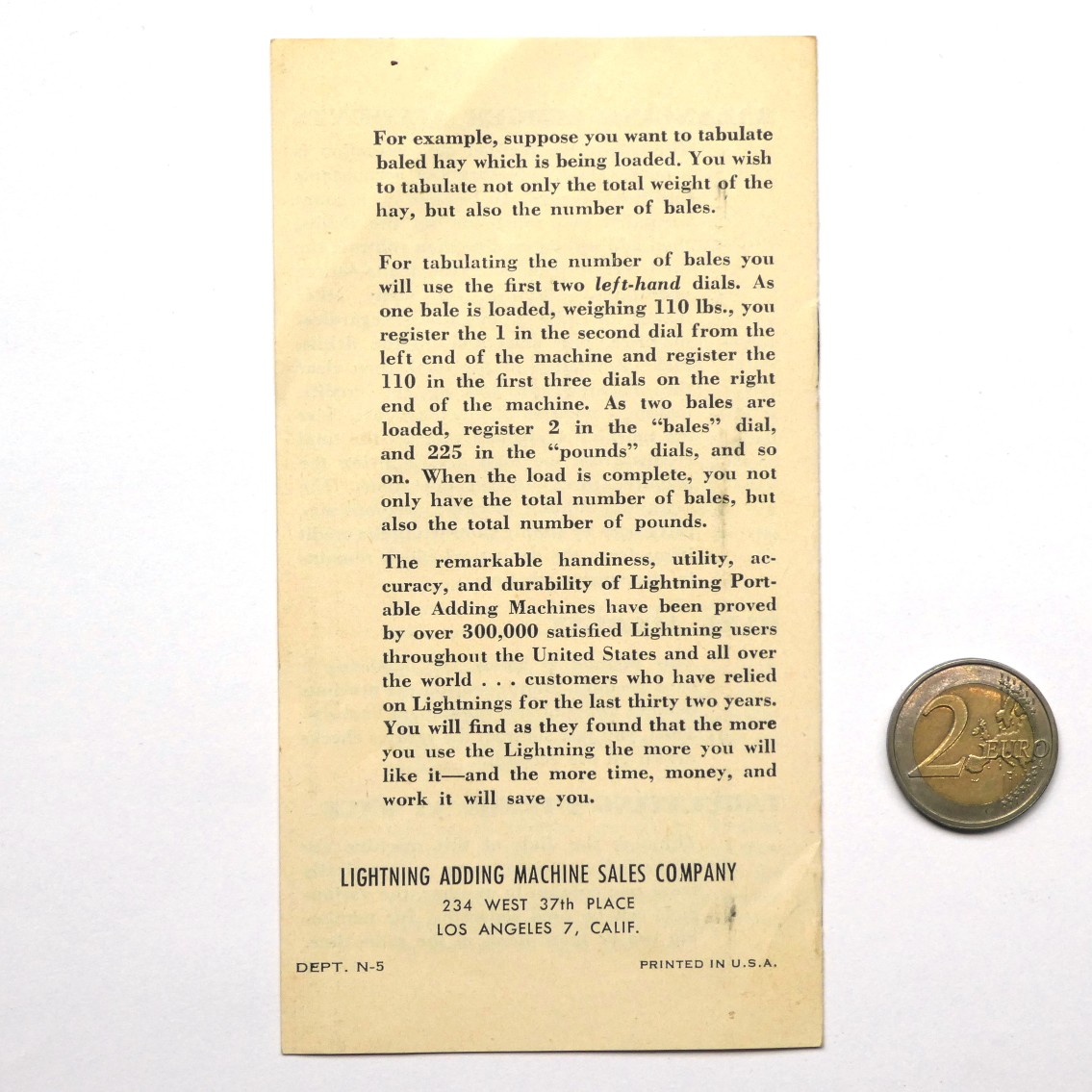
Lightning boxes came with an instruction leaflet, and two of them survive in full or in part. The early Los Angeles leaflet, Suggestions and Illustrations for Operating The LIGHTNING PORTABLE ADDING MACHINE, was issued from 543 South Spring Street, Los Angeles 13. It covers the machine without a clearing lever: adding, clearing dial by dial, subtraction by the red triangles, multiplication, division, ledger balancing and counting two things at once. The later booklet, How to Get the Most from Your New Lightning Adding Machine, from the Sales Co. at 234 West 37th Place, Los Angeles 7, covers the lever and the small yellow subtraction figures. This volume follows the leaflets, quoting them where their wording matters, and adds what the mechanism (see the previous volume) says about why each instruction is there.
6.1 Before starting
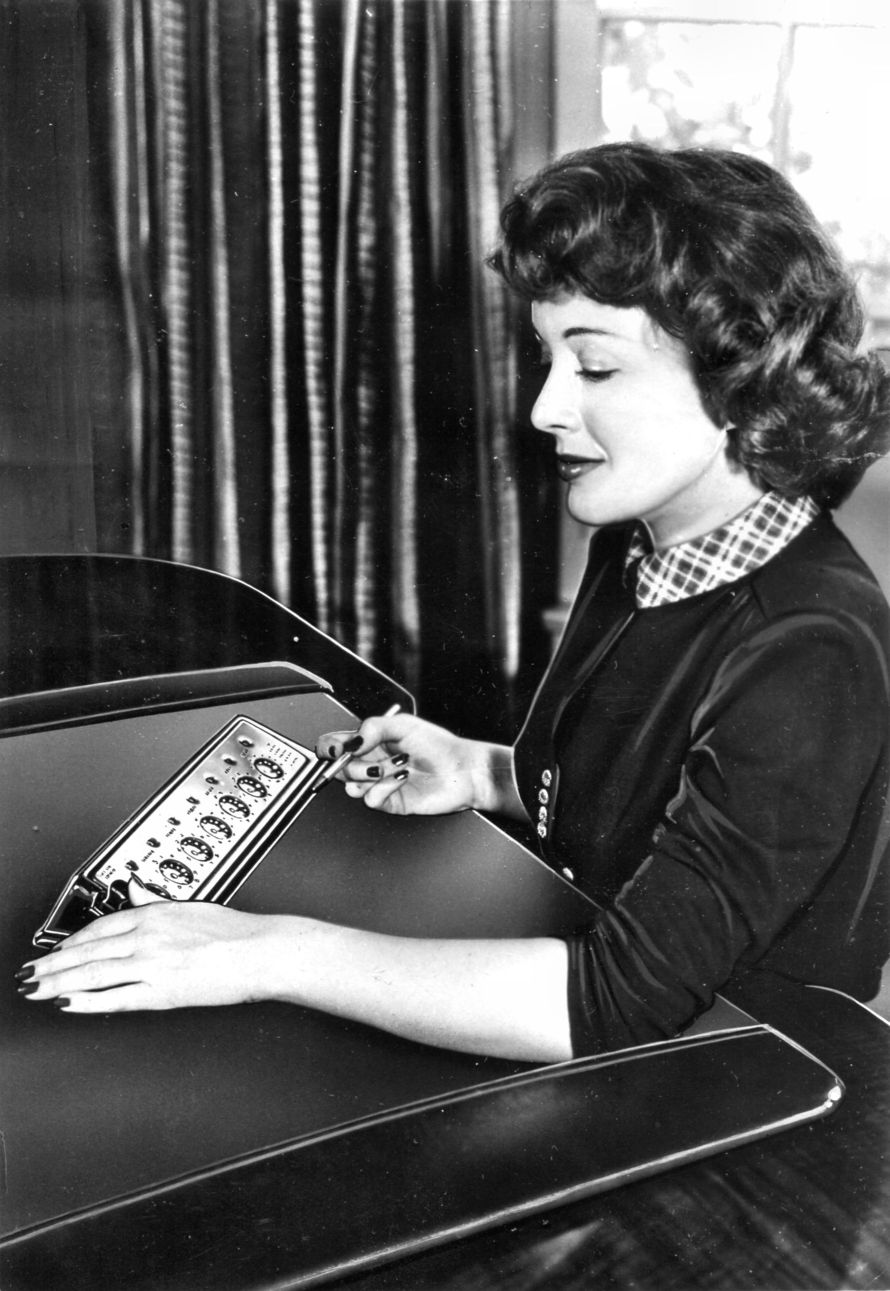
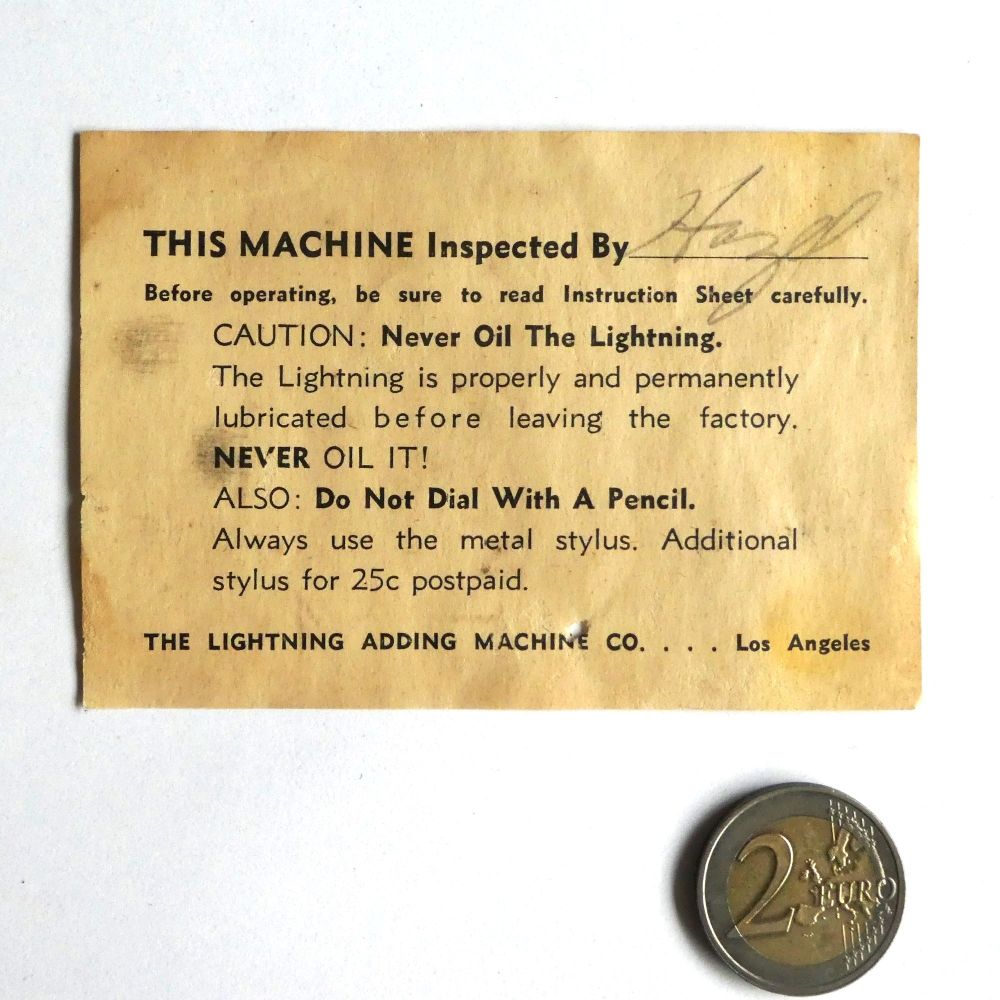
- Use the stylus, and only the stylus. “Always use the stylus when operating the machine. Do not use a pencil. Also, do not oil. The Lightning is properly and permanently lubricated before leaving the factory.” The order slip repeats it: “1. Do not oil the machine. 2. Do not use a lead pencil to operate the machine. Use the stylus at all times.”
- Hold it upright. Turn each dial “firmly clockwise until it comes to a stop, holding the stylus in an upright, vertical position.”
- Clear the machine. All seven windows should read 0.
- Know the dials. “The first two dials, on the right end of the machine, are used for cents… The three middle dials, right to left, are for dollars, tens of dollars, and hundreds of dollars… The last two dials… are for thousands and tens of thousands. In short, the number is placed on the machine in the same order as when writing it on paper.”
6.2 Adding
Each digit of an amount is dialled on its own dial, right-aligned to the decimal point, in any order. For each digit, put the stylus in the hole beside that figure and turn clockwise to the stop. A zero is skipped, since “it is never necessary to register a zero when adding.”
The leaflet’s example is .67 + .40 + 2.55 + 62.10:
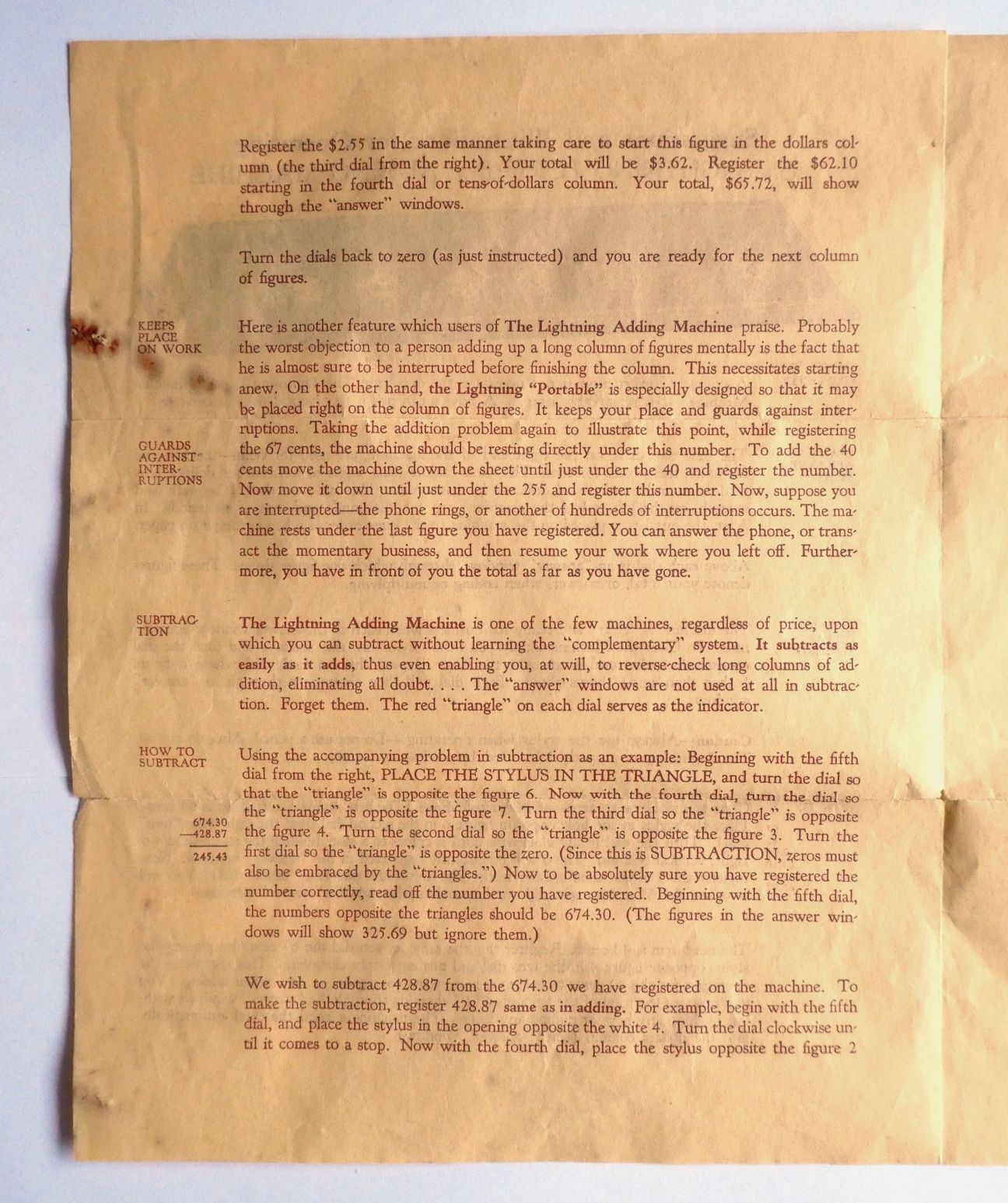
Table 1 — Adding
| Amount | Dials used | Windows afterwards |
|---|---|---|
| .67 | 6 on the 2nd dial from the right, 7 on the 1st | 0.67 |
| .40 | 4 on the 2nd (the 0 is skipped) | 1.07 |
| 2.55 | 2 on the 3rd, 5 on the 2nd, 5 on the 1st | 3.62 |
| 62.10 | 6 on the 4th, 2 on the 3rd, 1 on the 2nd | 65.72 |
After the second entry, the leaflet points out, “You will now see the total of the amounts $1.07 showing through the ‘answer’ windows without pushing any keys or pulling any levers.” The carry from the dimes into the dollars happened during the stroke.
The one error the leaflet warns about over and over is starting a number on the wrong dial. A whole-dollar amount starts on the third dial from the right: “start this figure in the dollars column (the third dial from the right).” The colour coding (copper cents, nickel dollars, copper thousands) is there to help with that.
6.2.1 Working down a column
The leaflet suggests lifting the machine off its stand and laying it directly on the ledger, just under the first figure, then sliding it down the column one line at a time. It “keeps place on work”: if you are interrupted, the machine marks where you stopped and holds the running total.
6.3 Clearing
Lever machines: “pull the automatic clearance lever, and you are ready for the next column of figures.” Pull it firmly to the left, all the way, then return it to its rest position. Check that every window reads 0.
Early machines: “simply place the stylus in the triangle and turn the dial counter-clockwise until it comes to the stop. Repeat this on each dial.” The dials can be cleared in any order, and only the dials in use need clearing. That makes possible the leaflet’s partial clearance, below, which a lever machine cannot do.
6.4 Subtracting
6.4.1 On the grey machines: the small yellow figures
The later booklet is brief: “USE ONLY THE SMALL YELLOW FIGURES TO SUBTRACT.” Put the stylus in the hole beside the small yellow figure of the digit to be taken away, and turn anticlockwise to the stop. The borrows are automatic, and the answer appears in the windows. The large white figures are for adding only: “Caution: You use only the large white figures to add.”
To take 428.87 from 674.30: add 674.30 with the large figures, then dial small 4 on the hundreds dial, small 2 on the tens, small 8 on the dollars, small 8 on the dimes and small 7 on the cents, each anticlockwise. The windows read 245.43.
The booklet suggests using subtraction to reverse-check a long column. After adding it, subtract each item again and the machine should come back to zero.
If the answer goes negative, the windows fill with nines from the left. 0.00 minus 0.01 shows 99,999.99. A result like 99,987.50 means −12.50 (100,000.00 − 99,987.50).
6.4.2 On the early machines: the red triangles
The early leaflet’s method works on any Lightning with triangle marks. It reads the answer from the triangles, not the windows: “The ‘answer’ windows are not used at all in subtraction. Forget them.”
- Set the number to subtract from on the triangles. For each digit, “PLACE THE STYLUS IN THE TRIANGLE, and turn the dial so that the ‘triangle’ is opposite the figure”. For 674.30, put the triangles opposite 6, 7, 4, 3 and 0. “Zeros must also be embraced by the ‘triangles’”: a dial left cleared has its triangle at 9, not 0.
- Ignore the windows. For 674.30 they will show 325.69, the complement.
- Register the amount to subtract exactly as in adding, clockwise with the ordinary figures: 428.87.
- Read the answer opposite the triangles, “beginning with the fifth dial”: 245.43.
Further amounts can be subtracted by adding them in the same way. Take 86.44 more and the triangles read 158.99.
6.5 Multiplying
The Lightning cannot multiply by itself. It has no crank and no shifting carriage. But it adds partial products quickly, and the leaflet shows how, “taking it for granted that every user … knows the multiplication tables.” Each single-digit product is registered as a two-digit number on a pair of dials, stepping one dial left for each place.
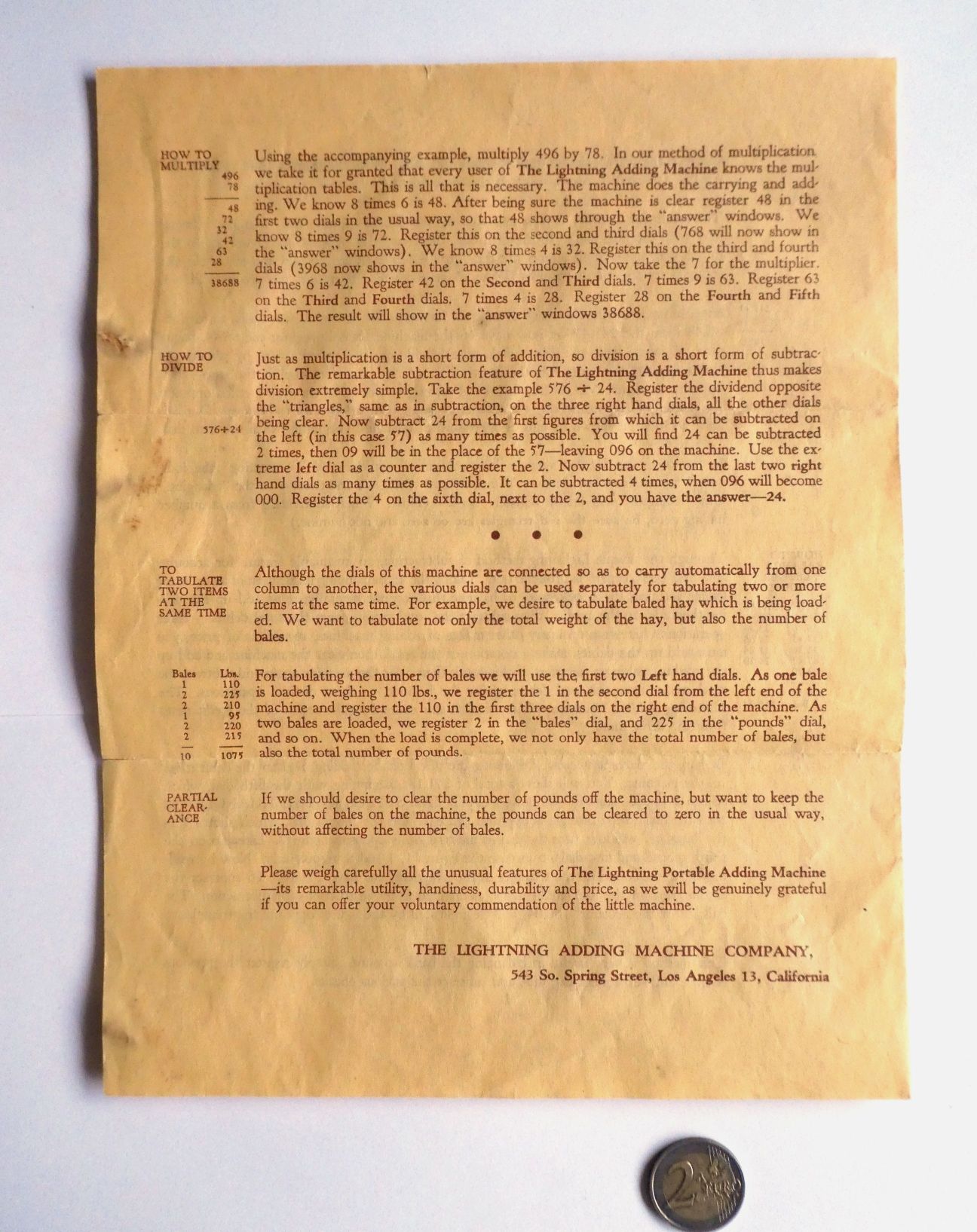
The leaflet’s example is 496 × 78:
Table 2 — The leaflet's example is 496 × 78
| Partial product | Register on dials (from right) | Windows |
|---|---|---|
| 8 × 6 = 48 | 1st and 2nd | 48 |
| 8 × 9 = 72 | 2nd and 3rd | 768 |
| 8 × 4 = 32 | 3rd and 4th | 3,968 |
| 7 × 6 = 42 | 2nd and 3rd | 4,388 |
| 7 × 9 = 63 | 3rd and 4th | 10,688 |
| 7 × 4 = 28 | 4th and 5th | 38,688 |
The 7s start one dial further left than the 8s because 7 is the tens digit of 78. With amounts in dollars and cents, the decimal point is placed afterwards by counting decimal places in the two factors, as on paper.
6.6 Dividing
Division is by repeated subtraction, using the triangle method on an early machine or the small figures on a grey one. The leaflet’s example is 576 ÷ 24:
- Set 576 on the triangles.
- Subtract 24 under the “57” (the 2nd and 3rd dials) as many times as it will go without the triangles going below zero. It goes twice, leaving 096. Count the subtractions on the leftmost dial, which serves as the quotient counter. It shows 2.
- Subtract 24 under the “96” (the 1st and 2nd dials) as many times as it will go: four times, leaving 000.
- The quotient is 24.
6.7 Ledger balancing and the bank account
The leaflet’s ledger example is the triangle method applied to bookkeeping. Add up the debits in the windows (in its example, $271.18). Then transpose the total onto the triangles: set each triangle opposite the same figure the window above it shows. Then register the credits. The triangles show the balance, $166.04.
For a cheque book: register the previous balance and add the deposits, transpose to the triangles, and subtract the cheques by registering them. The balance is read opposite the triangles.
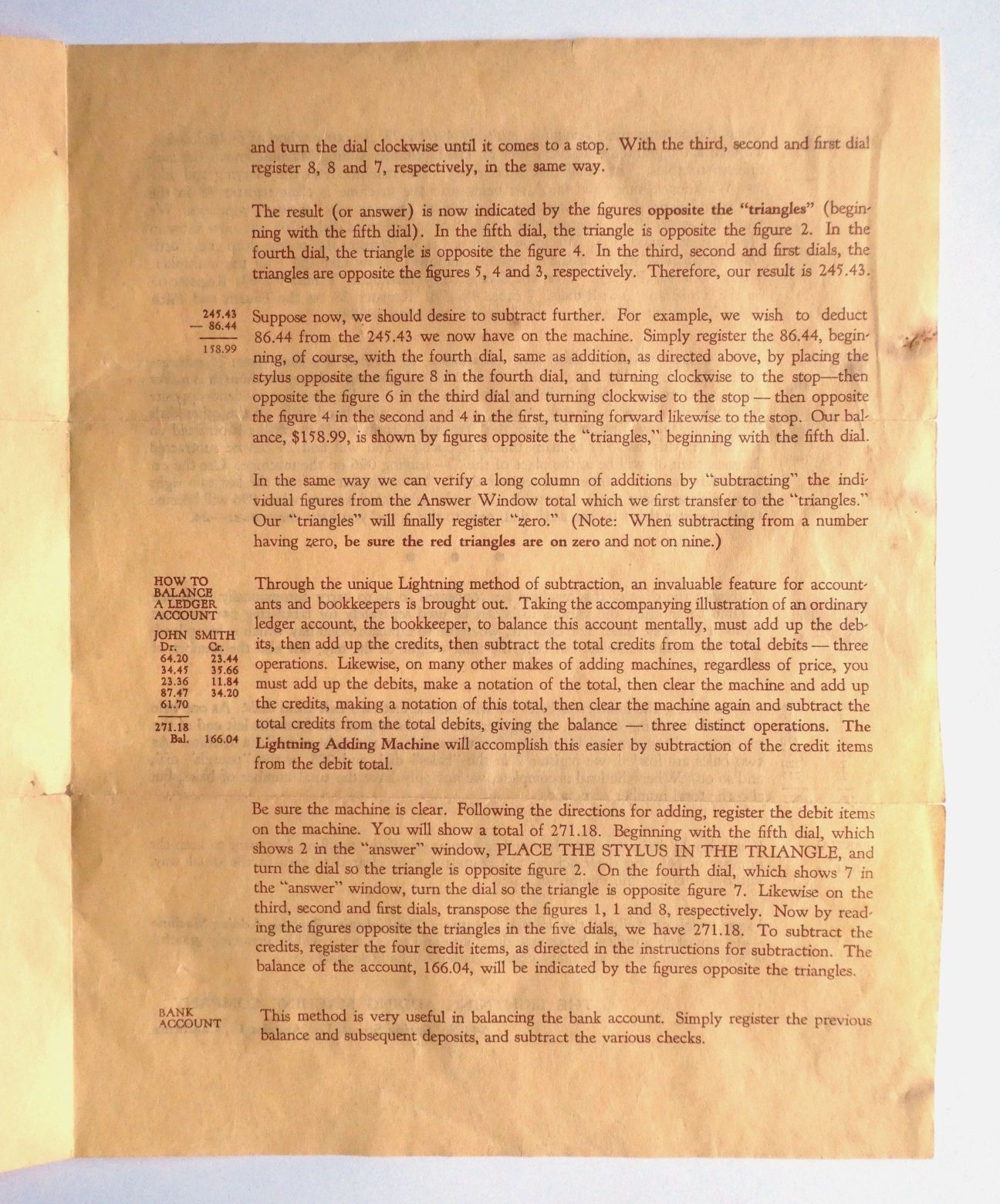
To check a column with the same method: transfer the total to the triangles and “subtract” each item. If the column was right, the triangles finish at zero.
6.8 Two tallies at once
Because the dials are independent until a carry crosses between them, a Lightning can keep two counts side by side, provided neither overflows into the other. The leaflet’s example is cotton: bales on the two left-hand dials, pounds on the dials to the right. Register each bale’s weight on the right-hand dials and add 1 on the bale dials. At the end of a lot, use partial clearance to clear the pounds dials “in the usual way, without affecting the number of bales.”
Partial clearance works only on the early machines, which clear dial by dial. The lever clears everything at once, though the later booklet still prints the bales example.
6.9 Common errors, and their causes
Table 3 — Common errors, and their causes
| Error | Cause | Prevention |
|---|---|---|
| A digit short in one column | stroke not taken fully to the stop, or the stylus slipped out of the hole during a carry | firm stroke, stylus upright, to the stop every time |
| Whole amount ten or a hundred times out | started on the wrong dial | find the dollars dial first (the third from the right) |
| Window shows a half digit | stroke released early, or a weak pawl | re-seat the digit with a small back-and-forth; see repair if it persists |
| Wrong answer by complement subtraction | a zero in the number to subtract from left with its triangle at 9 | set every zero deliberately on the triangles |
| Wrong answer on a grey machine | large and small figures mixed: white is clockwise to add, yellow anticlockwise to subtract | read the arrows on the faceplate |
| Total silently wrong after a large sum | passed 99,999.99, and the machine wraps to zero | keep running totals within seven places |
Comments (0)